
Linear Equation System Demo
Loading the math board and drawing, please wait…
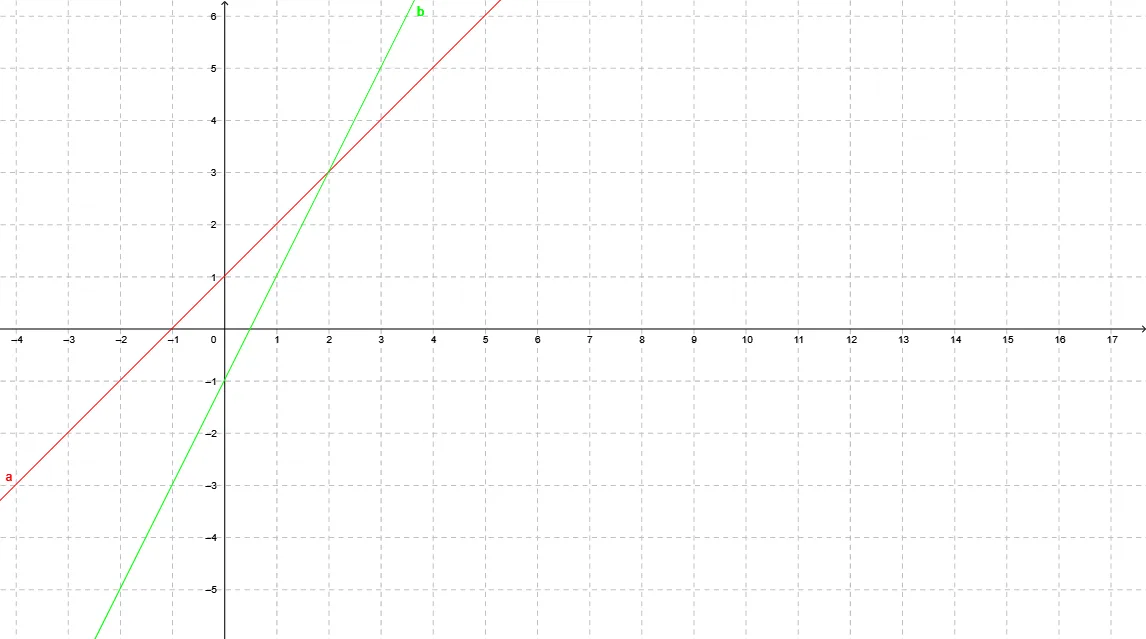
This example demonstrates how to visualize the solution set of a system of linear equations using GeoGebra, showing intersection points of multiple lines in the Cartesian coordinate system. Core math concepts include linear equations, plane geometry, and coordinate geometry. Construction highlights involve using GeoGebra commands/objects a, b to represent variables or parameters for dynamic adjustments of equation coefficients or graphical positions. Suitable for high school students learning and understanding the solution methods of linear equation systems, as well as classroom demonstrations.
GeoGebra Commands & Parameters
Line a(-1, 1, -1)y = (2 * x) - 1
AI Drawing Prompt Reference
Draw the intersection point of two lines. The first line has a slope of -1 and passes through the point (-1,1), while the second line is defined by the equation y = 2x - 1. First, draw the line with a slope of -1 passing through (-1,1), then draw the line y = 2x - 1, and observe the intersection point of the two lines.
The prompt above was compiled from the original drawing commands and is for reference only.