
Linear Equation Problem Generator (4 Levels)
Loading the math board and drawing, please wait…
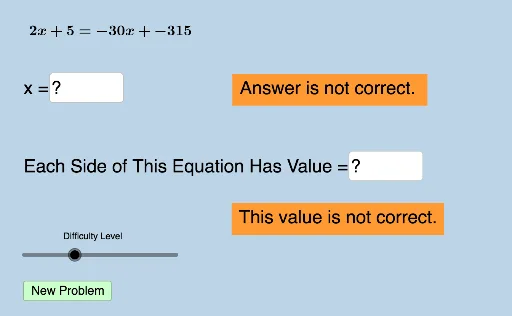
This GeoGebra example automates the generation of four-tiered linear equation solving exercises. It demonstrates random linear equation creation, step-by-step solution pathways, and interactive problem-solving via text fields and buttons. Core mathematical concepts include linear equations, variable manipulation, and tiered difficulty progression in algebra. The construction leverages GeoGebra commands such as Union, RandomElement, Sequence, Random, and Textfield, along with objects like list1–3, InputBox, variable a–f, and button components to build a dynamic equation generator. Ideal for middle and high school algebra classes, it supports independent practice, teacher-led demonstration, and differentiated learning.
GeoGebra Commands & Parameters
Union(list1, list2) → list3RandomElement(list3) → aSequence(i, i, a + 1, 35, 1) → listrightSequence(i, i, -35, a - 1, 1) → listleftUnion(listleft, listright) → listeRandomElement(list3) → bRandom(-30, 30) → wRandomElement(liste) → eRandomElement(liste) → mRandomElement(list3) → nRandomElement(list3) → pRandomElement(list3) → qTextfield(ans1) → InputBox1Textfield(varx) → InputBox6Textfield(ans2) → InputBox2Textfield(ans3) → InputBox3Textfield(ans4) → InputBox4Sequence(i, i, -35, 35, 0.5) → list5
AI Drawing Prompt Reference
Create a linear equation generator graphic with four difficulty tiers. The graphic should have a main interface with input boxes and buttons for entering and displaying equations. Below, show a list of four equations, each with randomly generated numbers and variables. Also include a result area to display solution steps. The design should be simple and clear for student practice and teacher demonstration.
The prompt above was compiled from the original drawing commands and is for reference only.