
Lights Out Game – Linear Algebra and Logic Puzzle in GeoGebra
Loading the math board and drawing, please wait…
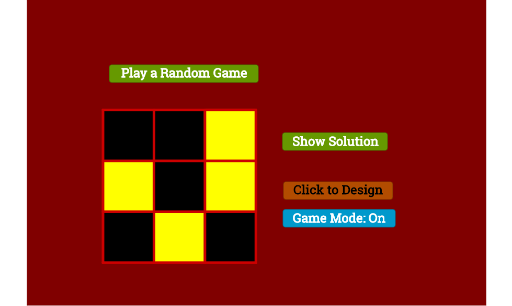
① This interactive example demonstrates the classic 'Lights Out' puzzle: a 3×3 grid where clicking a cell toggles its own state and those of its orthogonal neighbors, with the goal of turning off all lights. ② The core mathematical concept is linear algebra over the finite field GF(2): the game state is a binary vector, each click corresponds to a toggle matrix, and solving the puzzle reduces to solving a system of linear equations modulo 2. It also involves logical reasoning, pattern recognition, and piecewise functions for state transitions. ③ Construction highlights: using GeoGebra commands Polygon, Random, Sequence, and Circle to build the grid and light nodes; objects such as S11–S33 and V11–V33 store states; Mode, SetUpMode, and GameMode control the game flow; StateVec, SolVec, MInv, and ShowSol enable solving and displaying the solution. ④ Suitable for high school and above, this example serves as an engaging tool for teaching linear algebra, matrix operations, discrete mathematics, and algorithmic thinking.
GeoGebra Commands & Parameters
Polygon((0, 3), (0, 2), 4) → S11Polygon((1, 3), (1, 2), 4) → S12Polygon((2, 2), (2, 1), 4) → S23Polygon((2, 3), (2, 2), 4) → S13Polygon((0, 2), (0, 1), 4) → S21Polygon((0, 1), (0, 0), 4) → S31Polygon((1, 2), (1, 1), 4) → S22Polygon((1, 1), (1, 0), 4) → S32Polygon((2, 1), (2, 0), 4) → S33Random(0, 1) → V11Random(0, 1) → V12Random(0, 1) → V13Random(0, 1) → V21Random(0, 1) → V22Random(0, 1) → V23Random(0, 1) → V31Random(0, 1) → V32Random(0, 1) → V33Sequence(Segment[(0, i), (3, i)], i, 0, 3, 1) → FrameHSequence(Segment[(i, 0), (i, 3)], i, 0, 3, 1) → FrameVSequence(Mod[SolVec(i, 1), 2], i, 1, 9) → SolFCircle((0.5, 2.5), 0.2) → C11Circle((1.5, 2.5), 0.2) → C12Circle((2.5, 2.5), 0.2) → C13Circle((0.5, 1.5), 0.2) → C21Circle((1.5, 1.5), 0.2) → C22Circle((2.5, 1.5), 0.2) → C23Circle((0.5, 0.5), 0.2) → C31Circle((1.5, 0.5), 0.2) → C32Circle((2.5, 0.5), 0.2) → C33Sequence(Random[0, 1], i, 1, 9) → StateVecRandomPolygon((-1.4868418817692932, -0.8357894021661738), (-1.4868418817692932, 5.164210597833826), (7.513158118230713, 5.164210597833826), (7.513158118230713, -0.8357894021661738)) → BG, f, g, h, i
AI Drawing Prompt Reference
Draw a 3x3 grid board with square cells, each containing a circular light dot at its center. The board is framed by horizontal and vertical line segments. Each cell is a square, and the light dots are randomly lit or unlit. A large background rectangle surrounds the board. The overall look is a logic puzzle game interface with random light states and a clear grid structure.
The prompt above was compiled from the original drawing commands and is for reference only.