
Law of Sines - SSA Case
Loading the math board and drawing, please wait…
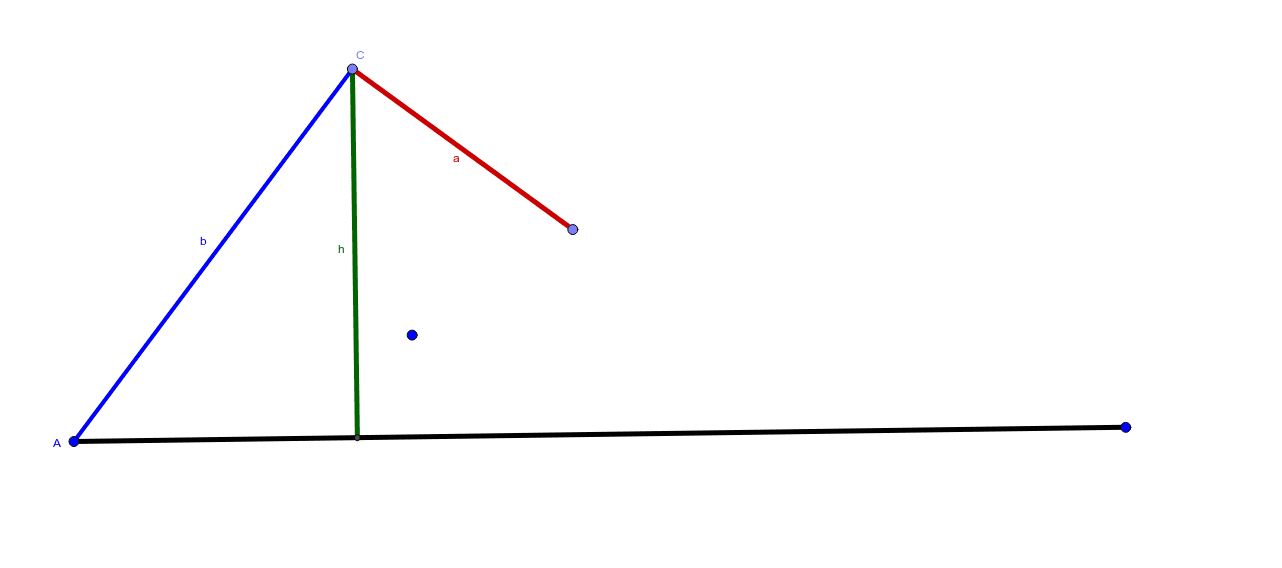
This example demonstrates the application of the Law of Sines in the SSA (Side-Side-Angle) case. Key mathematical concepts include trigonometry and geometric construction. Using GeoGebra commands such as Circle, Segment, Point, OrthogonalLine, and Intersect, the example dynamically illustrates the construction of triangles under different conditions. Suitable for high school mathematics education and learning.
GeoGebra Commands & Parameters
Circle(A, B) → cSegment(A, C_1) → a_1Point(c) → CSegment(C, A) → bCircle(C, E) → dPoint(d) → FSegment(C, F) → aOrthogonalLine(C, a_1) → eIntersect(e, a_1) → DSegment(C, D) → h
AI Drawing Prompt Reference
Draw a triangle ABC where side a and angle A are known, and the length of side b is given. Use the Law of Sines to construct the triangle. First, draw side a, then draw a circle with center C and radius equal to the length of side a, intersecting at point F, which is the other endpoint of side a. Next, draw side b, then draw a circle with center C and radius equal to the length of side b, intersecting at point E, which is the other endpoint of side b. Draw a perpendicular line from point C to side a, and let it intersect the extension of side a at point D. Finally, connect point C and point D to form side h.
The prompt above was compiled from the original drawing commands and is for reference only.