
Law of Sines Demonstration by Jordan Hickman
Loading the math board and drawing, please wait…
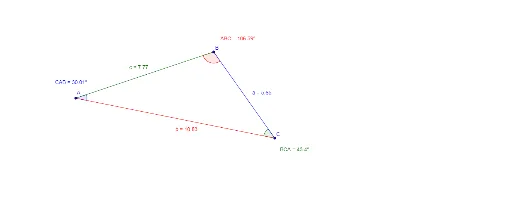
This example demonstrates the Law of Sines in arbitrary triangles, showing the relationship between the lengths of sides and the sines of their corresponding angles. The core mathematical concepts involved include the Law of Sines, trigonometric functions, and triangle geometry. The construction uses GeoGebra commands like Segment and Angle to build triangle ABC and its elements a, b, c, A, B, C, with auxiliary objects d, e, f, g, h, i for calculations and visualization. It is suitable for high school students learning the application of trigonometric functions in geometric problems and for teacher demonstrations.
GeoGebra Commands & Parameters
Segment(A, B) → cSegment(C, A) → bSegment(B, C) → aAngle(C, A, B) → CABAngle(B, C, A) → BCAAngle(A, B, C) → ABC
AI Drawing Prompt Reference
Draw an arbitrary triangle, label its three sides and three interior angles, and demonstrate the relationship between the lengths of the sides and the sines of their corresponding angles. Start by drawing the three sides of the triangle, then label the three angles. Use auxiliary lines and calculations to show that the ratio of each side to its corresponding angle's sine value is equal, and finally present the complete geometric relationship diagram.
The prompt above was compiled from the original drawing commands and is for reference only.