
Law of Sines and the Unit Circle: Draggable Triangle
Loading the math board and drawing, please wait…
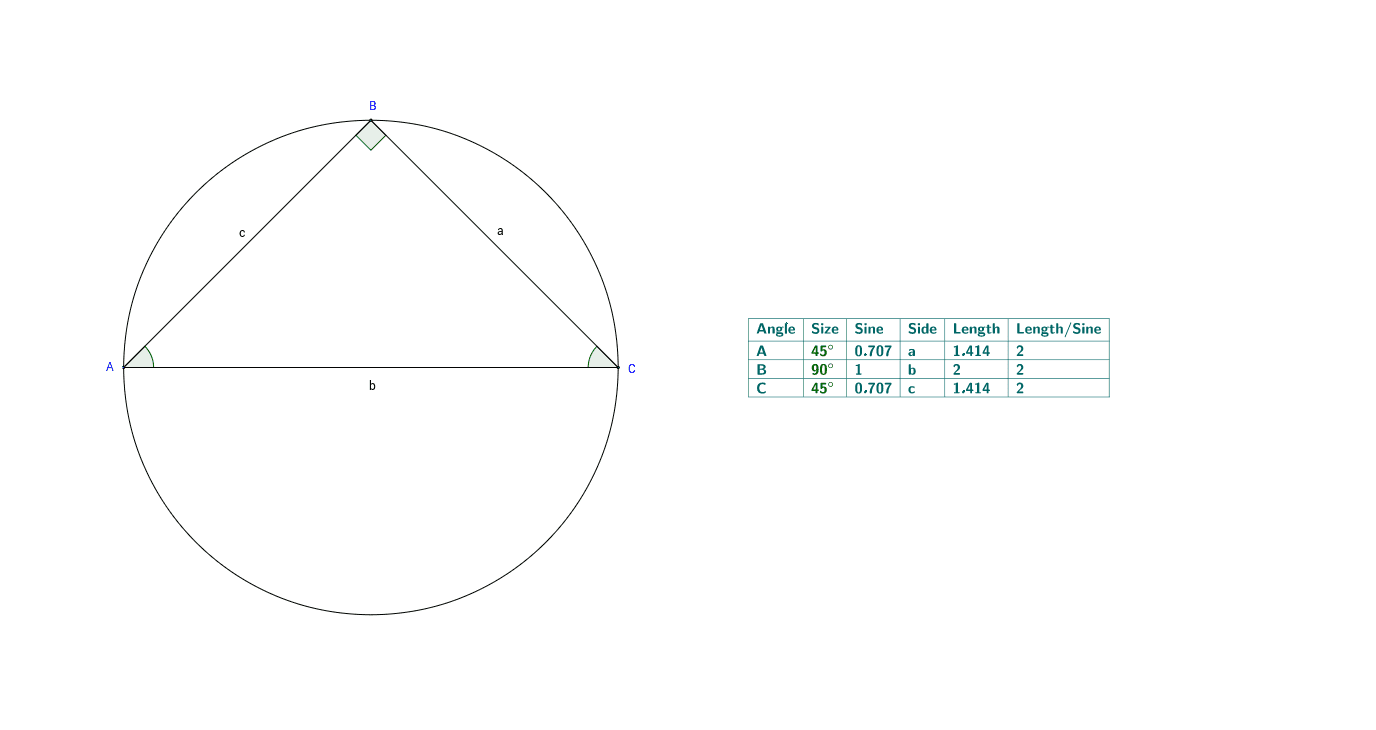
This GeoGebra example demonstrates the law of sines through a triangle inscribed in a unit circle. Users can drag the triangle vertices to observe how side lengths and opposite angles change while the ratio a/sin α = b/sin β = c/sin γ remains consistent. The construction uses Circle to create the unit circle, Point and Intersect to place vertices on the circle, Segment to form the triangle, Angle to label α, β, and γ, and TableText to display side lengths and sine values. It is suitable for middle and high school trigonometry lessons, geometric construction activities, and visual explanations of the unit circle, ratios, and the law of sines.
GeoGebra Commands & Parameters
Intersect(xAxis, yAxis) → OPoint(xAxis) → XCircle(O, X) → gPoint(g) → WIntersect(g, xAxis, 2) → ZSegment(Z, X) → dIntersect(g, yAxis, 1) → YSegment(W, Y) → ePoint(g) → APoint(g) → CPoint(g) → BSegment(A, C) → bSegment(C, B) → aSegment(A, B) → cAngle(B, C, A) → γAngle(C, A, B) → αAngle(A, B, C) → βTableText({{A1, B1, C1, D1, E1, F1}, {A2, B2, C2, D2, E2, F2}, {A3, B3, C3, D3, E3, F3}, {A4, B4, C4, D4, E4, F4}}, "|_") → Law of Sines
AI Drawing Prompt Reference
Draw a unit circle and place three draggable points A, B, and C on the circle to form triangle ABC. Connect points A, B, and C to form the sides a, b, and c of the triangle. Mark angles α, β, and γ at the center O of the circle, corresponding to the angles of the triangle. Display the lengths of the sides and their sine values in a table to illustrate the law of sines.
The prompt above was compiled from the original drawing commands and is for reference only.