
Law of Cosines Template
Loading the math board and drawing, please wait…
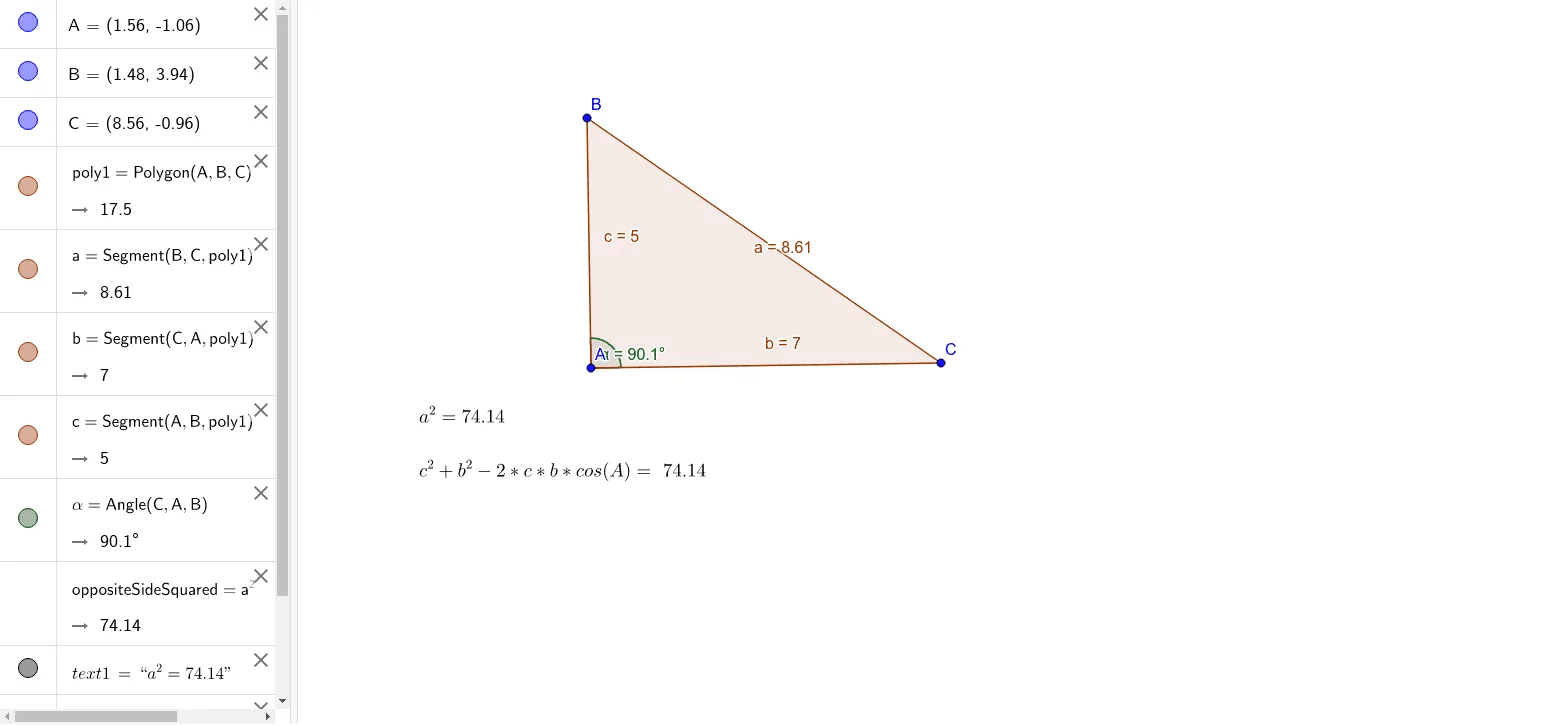
This example demonstrates the application of the Law of Cosines in triangles, dynamically showing the relationship between side lengths and angles. Core math concepts include the Law of Cosines and triangle geometry. Construction highlights involve GeoGebra commands like Polygon for drawing triangles, Angle for measuring angles, objects A, B, C for vertices, poly1 for the triangle, c, a, b for side lengths, α for angles, oppositeSideSquared for calculating the square of the opposite side, and text1, text2 for displaying results. Suitable for high school mathematics teaching to understand and apply the Law of Cosines in triangle problems.
GeoGebra Commands & Parameters
Polygon(A, B, C) → poly1, c, a, bAngle(C, A, B) → α
AI Drawing Prompt Reference
Draw a triangle with vertices labeled A, B, and C, where A is the top vertex and B, C are the base endpoints. Connect the three points with line segments to form the triangle, and label the side lengths: side a opposite angle A (between B and C), side b opposite angle B (between A and C), and side c opposite angle C (between A and B). Measure and display the angle α at vertex A (angle CAB). Add text annotations showing the Law of Cosines formula: a² = b² + c² - 2bc·cosα, and dynamically illustrate how the computed value of a² relates to the measured side length as the triangle changes. This serves as a template for teaching the Law of Cosines in triangle geometry.
The prompt above was compiled from the original drawing commands and is for reference only.