
Kite Interactive: Exploring Symmetry and Angle Bisectors
Loading the math board and drawing, please wait…
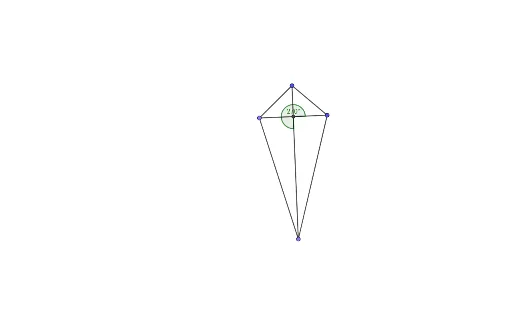
① This interactive example showcases a dynamic kite quadrilateral, allowing users to explore its symmetry, angle bisectors, and angle relationships in real time. ② Core math concepts include the kite definition (two pairs of adjacent equal sides), line symmetry, angle bisector properties, and angle measurement, with connections to difference and slope, step functions, calculus, confidence intervals, and parabolas. ③ Construction highlights: using GeoGebra commands Circle, Point, Segment, AngularBisector, Intersect, and Angle, the model includes objects A, B, c, C, f, g, h, D, d, i, j, k, l, E, and angle α. Dragging vertices dynamically updates the figure. ④ Ideal for middle and high school geometry classes, math labs, or independent learning, this resource helps students grasp properties of special quadrilaterals and geometric construction, while also offering a visual gateway to calculus and function concepts.
GeoGebra Commands & Parameters
Circle(A, B) → cPoint(c) → CSegment(A, C) → fSegment(A, B) → gAngularBisector(C, A, B) → hPoint(h) → DCircle(D, C) → dSegment(C, D) → iSegment(B, D) → jSegment(D, A) → kSegment(B, C) → lIntersect(k, l) → EAngle(B, E, D) → α