
Kite Curve Construction and Properties
Loading the math board and drawing, please wait…
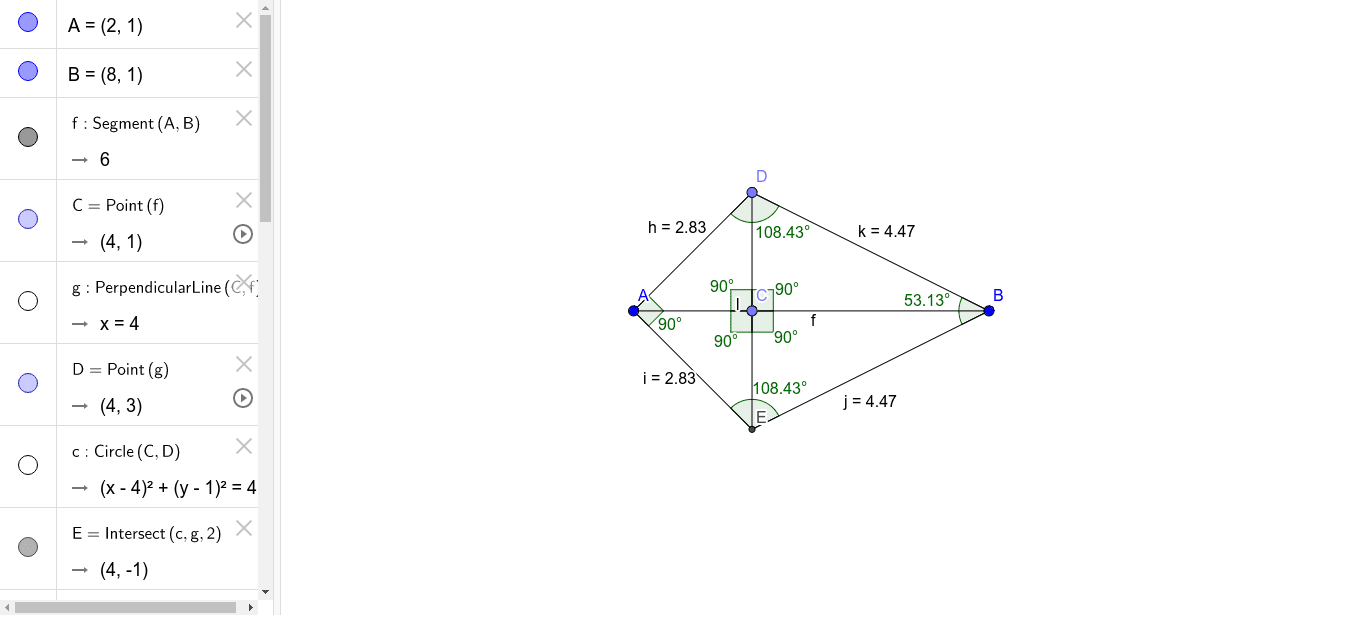
This example demonstrates how to construct a kite curve using geometric transformations and explore its properties. Key math concepts include ellipse, function graph, geometric transformations, and tangent line. Construction involves commands like Segment, Point, OrthogonalLine, Circle, Intersect, and Angle in GeoGebra. Suitable for high school students learning analytical geometry and geometric transformations.
GeoGebra Commands & Parameters
Segment(A, B) → fPoint(f) → COrthogonalLine(C, f) → gPoint(g) → DCircle(C, D) → cIntersect(c, g, 2) → ESegment(A, D) → hSegment(A, E) → iSegment(E, B) → jSegment(B, D) → kSegment(D, E) → lAngle(D, C, A) → αAngle(A, C, E) → βAngle(E, C, B) → γAngle(B, C, D) → δAngle(A, D, B) → εAngle(D, B, E) → ζAngle(B, E, A) → ηAngle(E, A, D) → θ
AI Drawing Prompt Reference
Draw a kite curve by starting with a line segment, marking a point on it, and drawing a perpendicular line through this point. Then, select points on the segment and the perpendicular line, use them as centers to draw circles, and find their intersection above the perpendicular line. Connect the segment's endpoints to this intersection point to form the kite's four sides, labeling all internal angles.
The prompt above was compiled from the original drawing commands and is for reference only.