
Jactus Construction
Loading the math board and drawing, please wait…
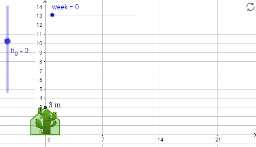
This example demonstrates the geometric construction of Jactus. It involves right triangles, incircle, and plane figures. Using GeoGebra commands such as Polygon and Max, complex geometric shapes can be constructed. Suitable for middle school and above students to learn geometric construction and related concepts.
GeoGebra Commands & Parameters
Max(width / 6, Min[{width / 2, ((width * days)) / 6, h_0 / 3}]) → armhtPolygon(F, C2, D_1, D, D2, B3, E2, E, E1, C1, C, A, B, B2) → poly1, f, b2, d_1, d, d2, b3, c2, e2, e, e1, c1, c, a, bPolygon(F, C2, C, B, B3) → poly2, f_1, c2_1, c_1, b_1, b3_1
AI Drawing Prompt Reference
Draw a geometric figure containing multiple triangles and a circle. Start by drawing a right triangle and constructing its incircle. Then, use these triangles and the circle to build a complex polygon. Finally, adjust the parameters to form a specific height polygon.
The prompt above was compiled from the original drawing commands and is for reference only.