
Isosceles Trapezoid: Geometric Construction and Function Graphing
Loading the math board and drawing, please wait…
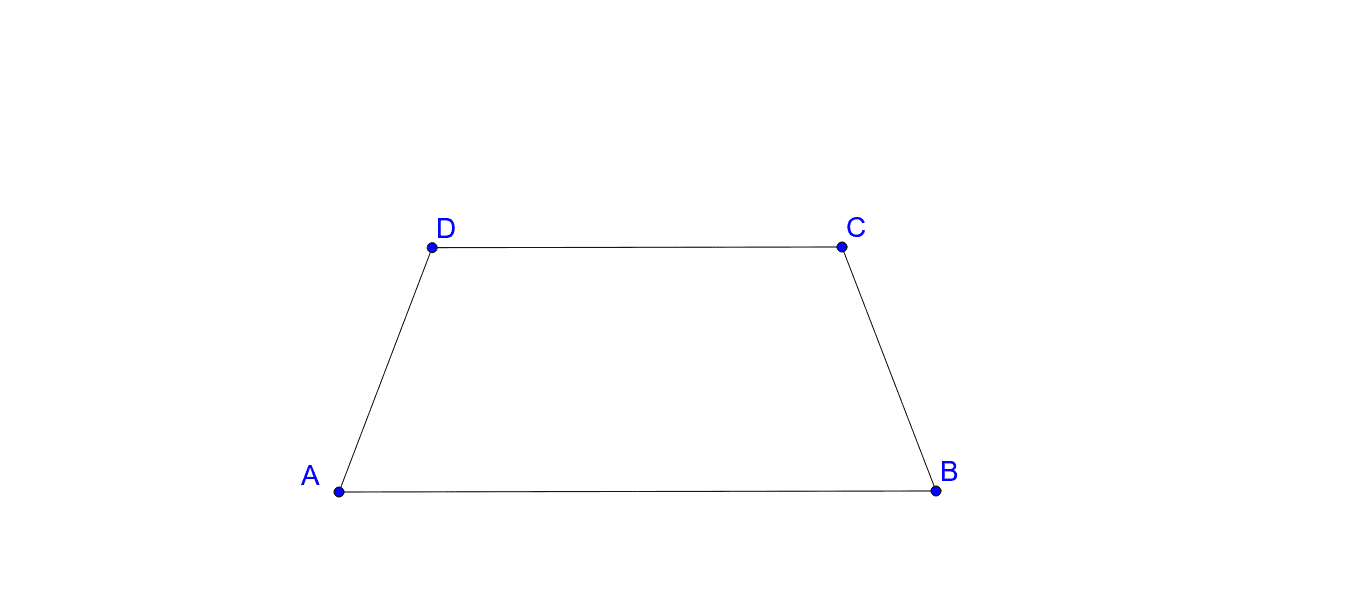
The isosceles trapezoid is a special type of trapezoid with equal diagonals and equal base angles. This example demonstrates its connection to linear regression and piecewise functions using GeoGebra commands such as Segment, Line, Circle, and Intersect. Key construction steps involve objects A, B, a, C, b, c, d, D, e, f, g. Suitable for high school students exploring geometric constructions and function applications.
GeoGebra Commands & Parameters
Segment(A, B) → aLine(C, a) → bCircle(C, Segment[B, C]) → cCircle(A, Segment[B, C]) → dIntersect(d, b, 2) → DSegment(A, D) → eSegment(B, C) → fSegment(D, C) → g
AI Drawing Prompt Reference
Draw an isosceles trapezoid. Start by placing two endpoints on the base and connect them to form the bottom segment. From one endpoint, draw a line through that point as a guide. Using each base endpoint as a center, draw two equal circles with radius equal to the distance between the base endpoints. One circle intersects the guide line at a point, which becomes a top vertex. Connect this vertex to both base endpoints to form the two legs, and also connect it to the other base endpoint to complete the four sides. The shape should show equal legs and equal diagonals.
The prompt above was compiled from the original drawing commands and is for reference only.