
Is SAA a Congruence Shortcut?
Loading the math board and drawing, please wait…
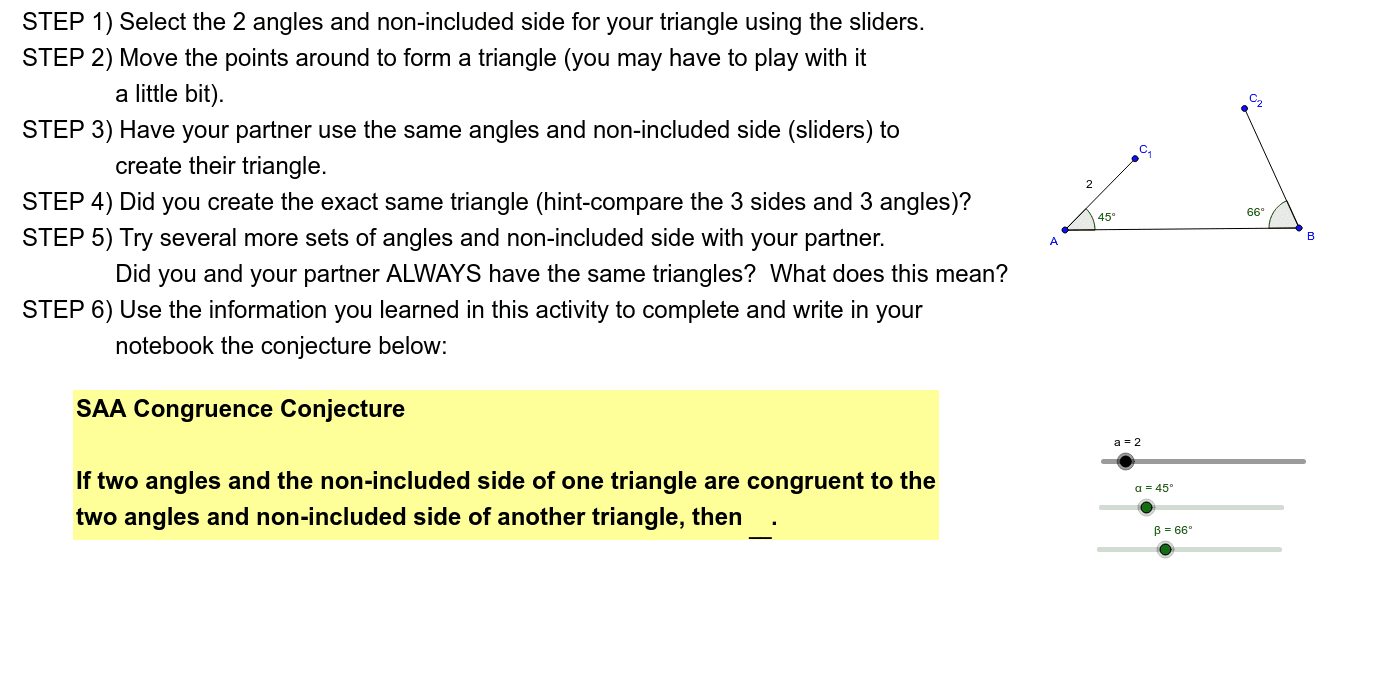
This example allows students to work in pairs to explore if SAA (two sides and an angle) can determine congruent triangles. Key mathematical concepts include triangle congruence. GeoGebra commands used include Circle, Segment, Rotate, Ray, Intersect, Angle, Point, Polygon. Suitable for middle school and above students to learn about triangle congruence criteria.
GeoGebra Commands & Parameters
Circle(A, B) → cSegment(A, B) → bCircle(A, a) → dRotate(B, α, A) → B'Ray(A, B') → eIntersect(d, e, 1) → C_1Angle(B, A, C_1) → γRotate(A, (-β), B) → A'Ray(B, A') → fPoint(f) → C_2Segment(B, C_2) → gSegment(A, C_1) → hAngle(A, B, C_2) → δSegment(C_2, C_1) → kPolygon(C_1, A, B) → poly1, b_1, c_1, a_1Angle(A, C_1, B) → ε
AI Drawing Prompt Reference
Draw two triangles where one is a rotation of the other to illustrate the SAA (two sides and an angle) congruence criterion. Start by drawing a line segment and a circle centered at one endpoint with the other endpoint as the radius. Find the intersection points of the circle with the line segment and connect them to form a triangle. Then rotate this triangle around the line segment by a certain angle to get a second triangle. Label the corresponding sides and angles of both triangles to highlight the rotational relationship between them.
The prompt above was compiled from the original drawing commands and is for reference only.