
Inverse Equation Problems Practice
Loading the math board and drawing, please wait…
In collections
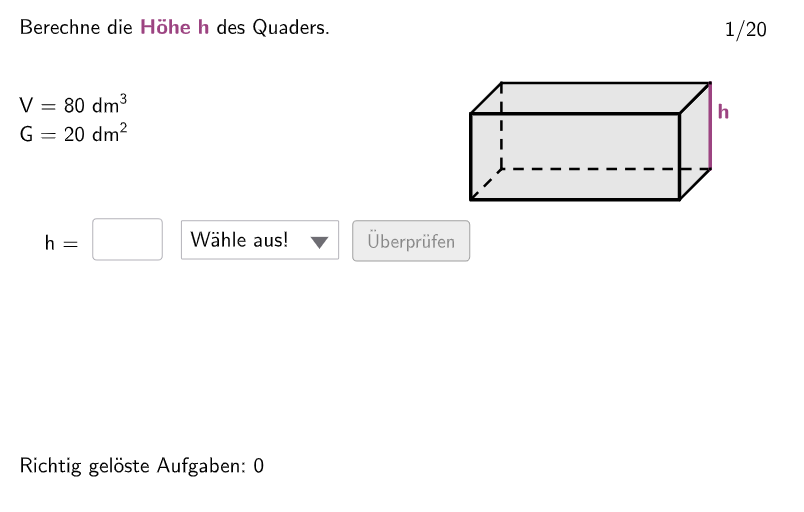
Quader und Würfel - Volumen
This example demonstrates the geometric application of solving inverse equation problems, focusing on transforming formulas to solve square-related tasks. Core math concepts include equation transformation and geometric figure construction. GeoGebra commands and objects like Random, Shuffle, Join, If, Textfield, Polygon, Segment, Element are utilized in the construction. Suitable for 7th-8th grade students practicing the integration of equation manipulation with geometric knowledge.
GeoGebra Commands & Parameters
Random(1, 4) → randoEinheitShuffle(Sequence[i, i, 1, 20]) → RandoExListHelperHelper, {5, 14, 6, 8, 3, 4, 7, 19, 10, 9, 11, 1, 2, 13, 15, 20, 16, 12, 18, 17}Join({{9}, RandoExListHelper}) → RandoExListIf(ex < 11, 1, 2) → TypIf(ex < 11, ex, ex - 10) → StepTextfield(input1) → InputBox1Textfield(input2) → InputBox2Polygon(PtopLeftCornerFeedback, PtopRightCornerFeedback, PbottomRightCornerFeedback, PbottomLeftCornerFeedback) → rectangleCorrect, ptopleftcornerfeedback, ptoprightcornerfeedback, pbottomrightcornerfeedback, pbottomleftcornerfeedbackSegment(Q1, Q1') → q1Segment(Q4', Q1') → q2Segment(Q2', Q1') → q3Polygon(Q1, Q2, Q2', Q1') → G, q3', q4', q2', q1'Segment(Q2', Q3') → hSegment(Q1, Q2) → aSegment(Q2, Q2') → bSegment(Q3', Q2') → cElement(ListCorrectG, Step) → AuswahlGElement(ListCorrectH, Step) → AuswahlHElement(ListCorrectA, Step) → AuswahlAElement(ListCorrectB, Step) → AuswahlBElement(ListCorrectC, Step) → AuswahlCElement(ListCorrectV1, Step) → AuswahlV1Element(ListCorrectV2, Step) → AuswahlV2If(gesG, "G = ", If[gesH, "h = ", If[gesA, "a = ", If[gesB, "b = ", If[gesC, "c = "]]]]) → solhelper1
AI Drawing Prompt Reference
Draw a square with a side length of 10, then draw a rectangle inside it with sides parallel to the square's sides. The rectangle's sides are a, b, c, and h, where a and b are the longer sides, and c and h are the shorter sides. Randomly generate an integer randoEinheit between 1 and 4, and choose different side lengths based on randoEinheit. Use text boxes to input the values of a, b, c, and h, then calculate the areas of the square and rectangle based on the input values.
The prompt above was compiled from the original drawing commands and is for reference only.