
Introduction to Rotations
Loading the math board and drawing, please wait…
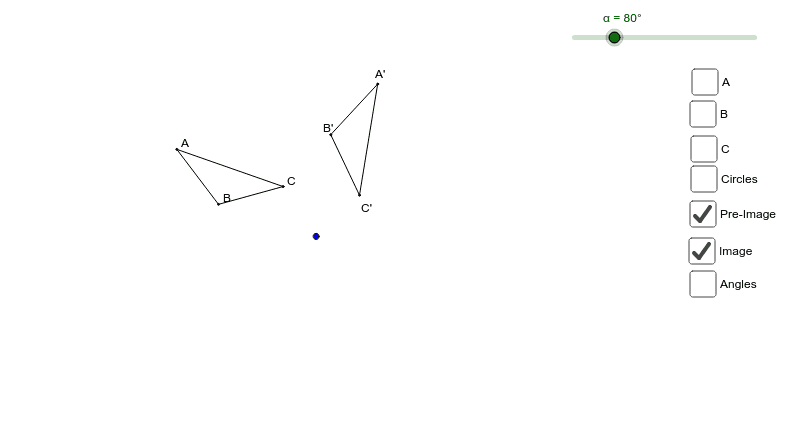
This example demonstrates the relationship between rotation angles and circles. By rotating points A, B, and C, observe their changes at different rotation angles to understand the concept of rotation. Commands used include Polygon, Rotate, Segment, Circle, and Angle. Suitable for students in middle school and above learning geometric transformations.
GeoGebra Commands & Parameters
Polygon(A, B, C) → poly1, c, a, bRotate(A, (-α), D) → A'Rotate(B, (-α), D) → B'Rotate(C, (-α), D) → C'Polygon(A', B', C') → poly1', c', a', b'Segment(D, C) → dSegment(D, C') → eCircle(D, C) → fCircle(D, B) → gCircle(D, A) → hSegment(D, B) → iSegment(D, B') → jSegment(D, A) → kSegment(D, A') → lAngle(A', D, A) → βAngle(B', D, B) → γAngle(C', D, C) → δ
AI Drawing Prompt Reference
Draw a triangle and rotate it clockwise around an external point by a certain angle to form a second triangle. Connect the rotation center to corresponding vertices of both triangles with line segments. Draw three concentric circles centered at the rotation point, each passing through one original vertex. Finally, mark the angles between the original and rotated vertex segments at the center to illustrate the rotation angle and its relation to the circles.
The prompt above was compiled from the original drawing commands and is for reference only.