
Introduction to GeoGebra's User Interface
Loading the math board and drawing, please wait…
In collections
Intro-Book 1: Basic Geometric Constructions
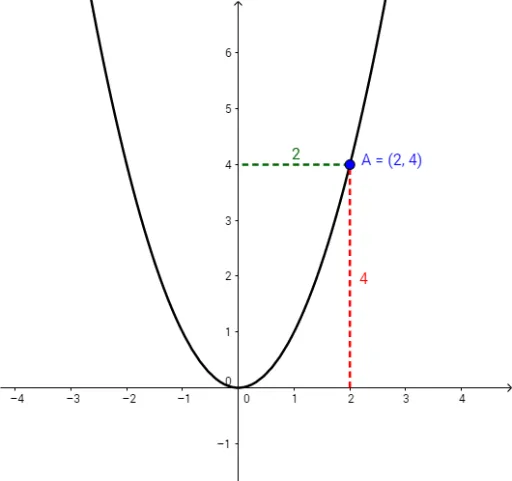
This example demonstrates how to use GeoGebra software for drawing and interacting with geometric figures. The core mathematical concepts involved include basic geometric elements such as points, orthogonal lines, intersection points, and line segments. Key construction steps involve using commands like Point, OrthogonalLine, Intersect, and Segment. Objects like f represent functions, while A, a_1, B, b, c, C, a are geometric points and variables, and text1 is used for text annotations. It is suitable for middle school students and above, serving as an aid for geometry instruction and exploration.
GeoGebra Commands & Parameters
Point(f) → AOrthogonalLine(A, xAxis) → a_1Intersect(xAxis, a_1) → BSegment(B, A) → bOrthogonalLine(A, yAxis) → cIntersect(c, yAxis) → CSegment(A, C) → a