
Intersection of Quadratic Curve and Circle
Loading the math board and drawing, please wait…
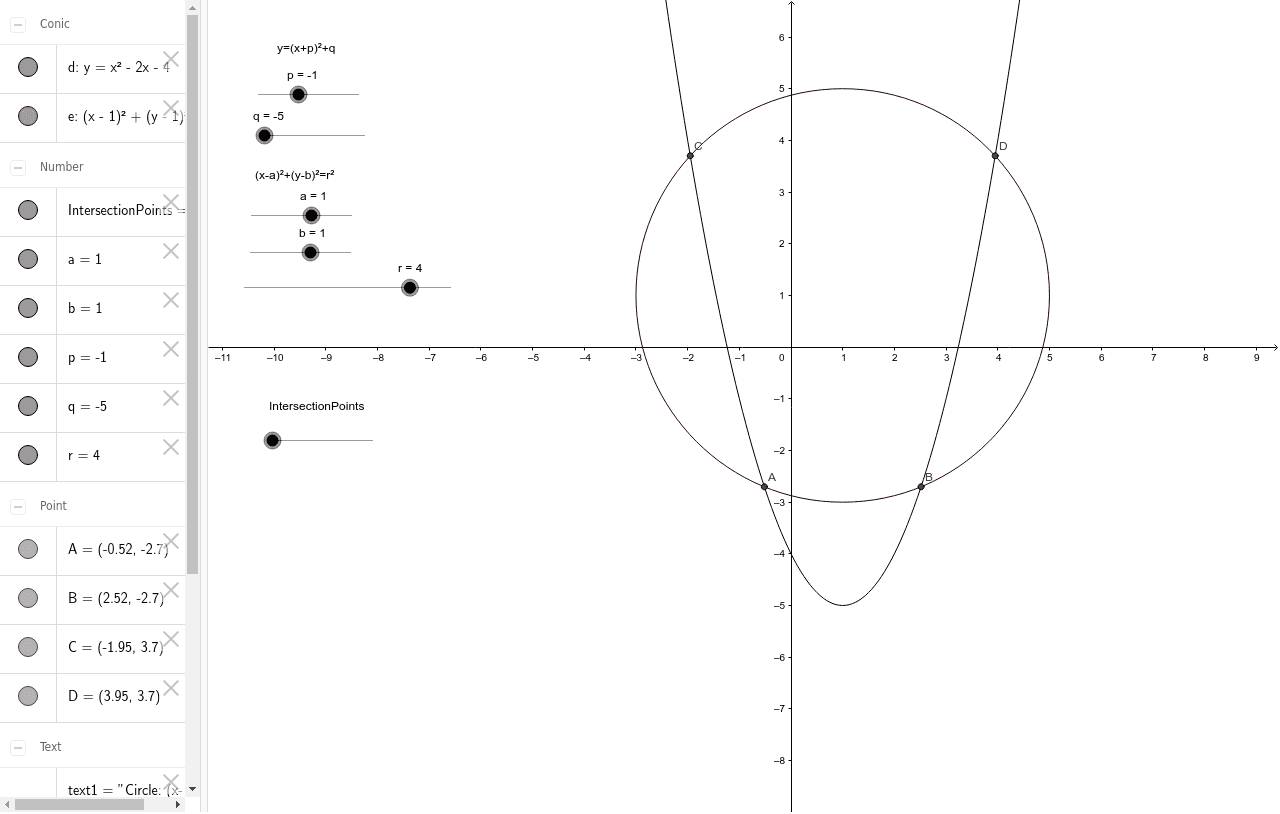
This example demonstrates finding the intersection points between a quadratic curve and a circle using GeoGebra. Key math concepts include coordinate geometry, equation solving, and geometric transformations. The construction utilizes the Intersect command on objects q, p, d, a, b, r, e, C, D, A, B, with text elements text1, text2, text3, text4 for labeling. Suitable for high school mathematics education to understand curve intersection calculations and visualization.
GeoGebra Commands & Parameters
Intersect(e, d) → C, D, A, B
AI Drawing Prompt Reference
Draw the intersection points of a quadratic curve and a circle. First, draw a quadratic curve and a circle, then find their intersection points using the Intersect command and label them with text.
The prompt above was compiled from the original drawing commands and is for reference only.