
Intersection of a Line and a Plane: Construction in a Tetrahedron
Loading the math board and drawing, please wait…
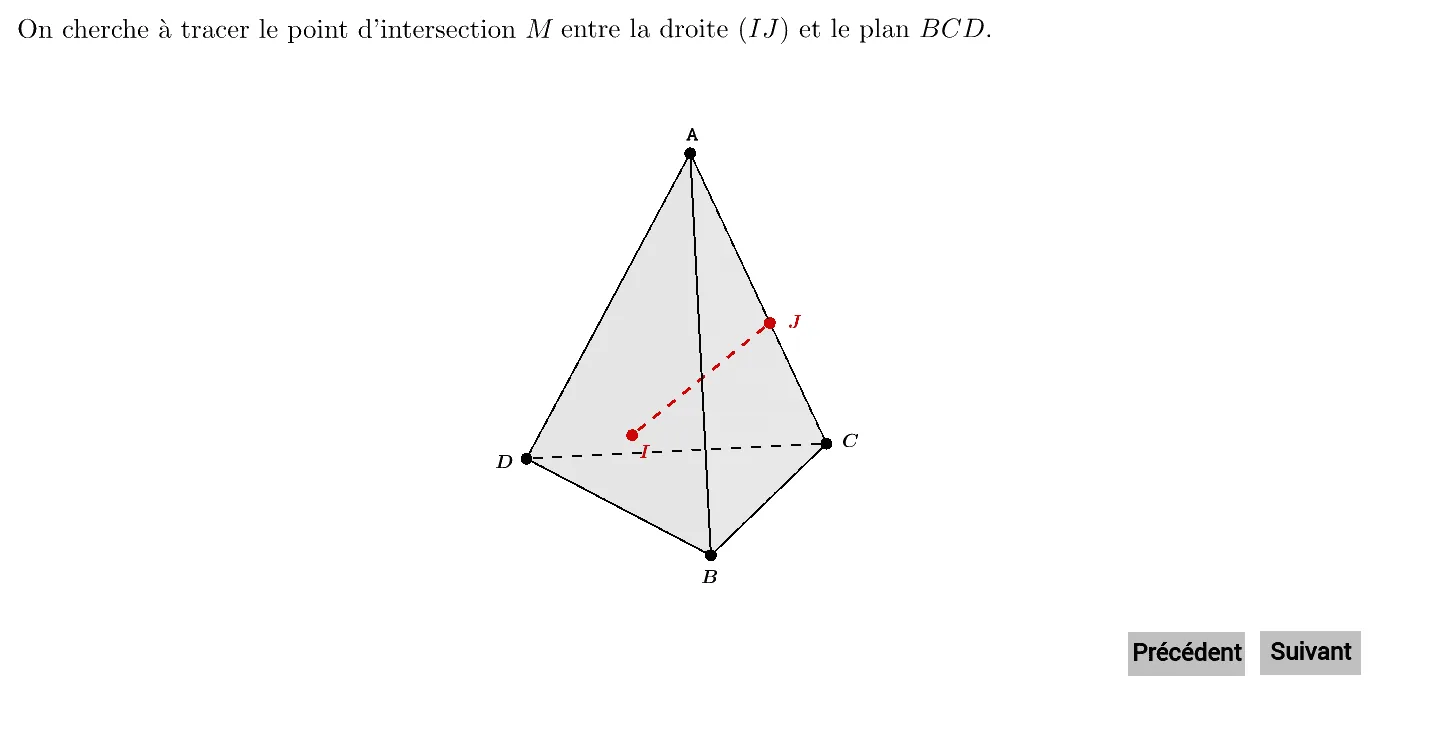
This example demonstrates how to construct the intersection point between a line and a plane in 3D space, specifically within a tetrahedron. It shows the process of creating a line through two points on edges and finding where it meets a face of the tetrahedron. Core mathematical concepts include solid geometry, spatial relationships among points, lines, and planes, and the condition for line-plane intersection. The construction uses GeoGebra commands such as Point, Pyramid, Line, Plane, Segment, and Intersect. Steps involve building the tetrahedron and its faces, placing points I and J on edges, drawing the line droiteIJ, and computing its intersection with plane BCD. This is suitable for high school or early college students learning 3D geometry, and for teachers demonstrating spatial reasoning in the classroom.
GeoGebra Commands & Parameters
Point(yAxis) → BPoint(zAxis) → APyramid(C, B, D, A) → a, faceABC, edgeCD, faceABD, faceBCD, faceACD, edgeAB, edgeBC, edgeAC_1, edgeAD, edgeBDPointIn(faceBCD) → IPoint(edgeAD) → JLine(J, I) → droiteIJPlane(B, D, C) → planBCDSegment(I, J) → edgeIJ_1Line(J, I) → fIntersect(f, planBCD) → MPolygon(I, J, A) → faceAIJ, edgeIJ, edgeJA, edgeAIPolygon(A, C, I) → faceACI, edgeAC, edgeCI, edgeIALine(A, I) → droiteAIIntersect(edgeBC, droiteAI) → HSegment(A, H) → edgeAH_1Polygon(H, C, A) → faceACH, edgeHC, edgeCA, edgeAHLine(C, H) → droiteHC