
Interpret and Find Linear Equation
Loading the math board and drawing, please wait…
In collections
Math Models
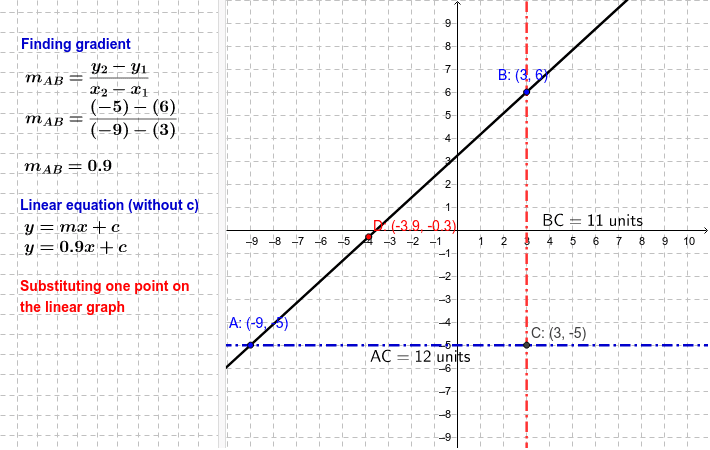
This example demonstrates how to interpret and find linear equations using graphical methods. Key math concepts include linear equations, slope, distance, and vectors. Construction highlights involve using commands like Line, Intersect, Distance, Slope, and Point with objects such as A_y, A_x, B_y, B_x, A, B, a, b, c, C, etc. It is suitable for high school mathematics students to understand the geometric meaning and solution methods of linear equations.
GeoGebra Commands & Parameters
Line(A, B) → aLine(A, xAxis) → bLine(B, yAxis) → cIntersect(b, c) → CDistance(B, C) → distanceBCDistance(A, C) → distanceACSlope(a) → mPoint(a) → D
AI Drawing Prompt Reference
Draw a line intersecting the coordinate axes, mark the intersection points, measure the distance between two points, calculate the slope of the line, and mark a point on the line to demonstrate the geometric meaning and solution methods of linear equations.
The prompt above was compiled from the original drawing commands and is for reference only.