
Interactive Rounding Practice
Loading the math board and drawing, please wait…
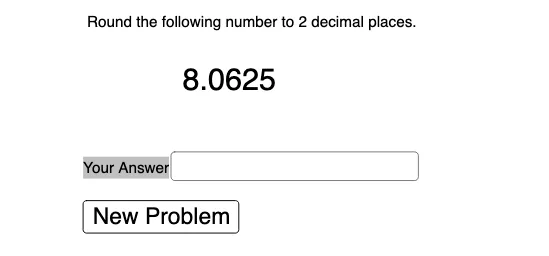
This example demonstrates how rounding (e.g., rounding to the nearest integer) transforms decimal values into integers using interactive inputs and randomly generated numbers, helping learners build intuition about rounding rules and the resulting discrepancy. The core math concepts include rounding/round-off rules, input-driven computation, and dynamically updated results. Construction and workflow in GeoGebra rely on: Random to generate practice values, Textfield and InputBox1 to accept user parameters, and Text objects (text1, text2, text3) to display prompts and current values. A button1 is used to trigger recomputation (e.g., generating a new random task), while variables a, p, b are combined to produce the displayed answer ans. Suitable for middle school through early university practice, and useful for teaching numerical reasoning, basic data handling, and introductory algorithmic thinking.
GeoGebra Commands & Parameters
Random(1, 3) → pTextfield(ans) → InputBox1
AI Drawing Prompt Reference
Create an interactive rounding practice by first generating a random number between 1 and 3, then accepting user input for the rounding rule via a text field, and finally displaying the computed result based on the input rule and random number.
The prompt above was compiled from the original drawing commands and is for reference only.