
Interactive Graphing Quiz: Linear Inequalities in Two Variables
Loading the math board and drawing, please wait…
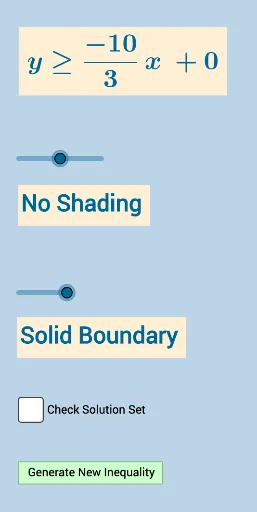
This example presents an interactive quiz that visualizes how a system of two-variable linear inequalities is represented on the coordinate plane. It demonstrates the role of boundary lines—whether they are included (solid) or excluded (dashed)—and how the corresponding solution set becomes a shaded region. The key math ideas include two-variable linear inequalities, the geometric meaning of slope and intercept, and the fact that adding inequalities corresponds to taking intersections of solution sets, producing characteristic region shapes. Construction in GeoGebra is driven by commands and objects such as Sequence (to generate repeated/parameterized elements), Union (to combine graphic objects), Random (to vary problem parameters), Line (to create boundary lines), Slope (to compute/display the slope), and FractionText (to present algebraic values). It also uses various text/symbol objects (e.g., FractionText and multiple text objects) and interactive buttons (button1/button2) to present the prompt and labels, while coordinating points/parameters (objects like A, B, a–f, m, e–f, etc.) to place and update the shaded region. Suitable for middle and early high school, as well as introductory college geometry/algebra courses focused on graphing and inequality reasoning.
GeoGebra Commands & Parameters
Sequence(i, i, -10, -1) → aSequence(i, i, -10, -1) → bSequence(i, i, 1, 10) → cUnion(b, c) → dRandom(-10, 10) → eLine(A, B) → iFractionText(Slope[f]) → text1FractionText(f(0)) → text2Random(1, 4) → symbolLine(A, B) → hSlope(i) → slope_i
AI Drawing Prompt Reference
Create an interactive graphing quiz for a system of two-variable linear inequalities. Draw two boundary lines on a coordinate plane with random slopes and intercepts, one solid and one dashed to indicate inclusion or exclusion. Shade the overlapping solution region between them with semi-transparent color. Display the slope and y-intercept of each line as fractions near the lines, and show a random inequality symbol (like ≤ or ≥) as a prompt. Include two buttons to regenerate random parameters or toggle the inequality direction, updating the graph dynamically. Use a clean coordinate grid with labeled axes for clarity.
The prompt above was compiled from the original drawing commands and is for reference only.