
Interactive Demonstration of Symmetry and Quadratic Equations
Loading the math board and drawing, please wait…
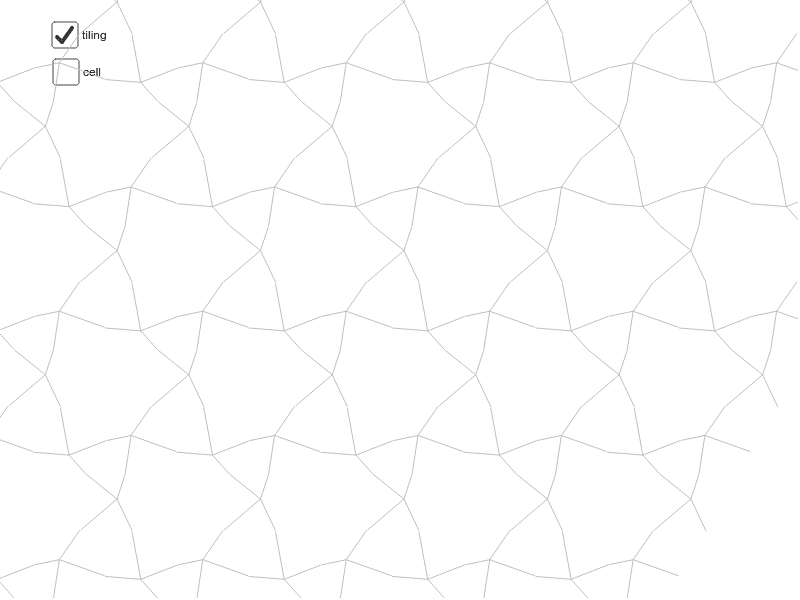
This example illustrates symmetry principles and their application in quadratic equations through interactive graphics. ① It demonstrates how to construct symmetric figures using vectors, rotation, and sequences, and visualizes the solution sets of quadratic equations; ② Core mathematical concepts include symmetry, quadratic equations, vector operations, rotational transformations, and sequences; ③ Key construction points derived from GeoGebra commands are Segment (line segment), Vector (vector), Rotate (rotation), and Sequence (sequence); ④ Suitable for high school mathematics students to understand the connection between geometric transformations and algebraic equations, as well as for exploratory learning.
GeoGebra Commands & Parameters
Segment(I, L) → qSegment(I, K) → pSegment(J, I) → nSegment(H, I) → mVector(A, B) → uVector(A, C) → vRotate(cell1, 120*°, D) → cell2Rotate(cell1, 240*°, D) → cell3Sequence(Translate[Sequence[Translate[tile, Vector[(n * u)]], n, -3, 3], Vector[(m * v)]], m, -3, 3) → tilingVector(B, G) → wVector(C, G) → dSegment(C, B) → eSegment(C, D) → iSegment(D, B) → jSegment(B, E) → kSegment(E, C) → l
AI Drawing Prompt Reference
Create an interactive graphic demonstrating symmetry and quadratic equations. Start by drawing two line segments and two vectors, then use rotation and vector operations to construct symmetric figures. Generate a symmetric pattern using sequences and translate the pattern with vectors. Finally, draw several line segments to connect key points, forming a complete symmetric structure that visualizes the solution sets of quadratic equations.
The prompt above was compiled from the original drawing commands and is for reference only.