
Integer Comparison - Level 3
Loading the math board and drawing, please wait…
In collections
Ganze Zahlen & Arbeiten mit der Zahlengerade
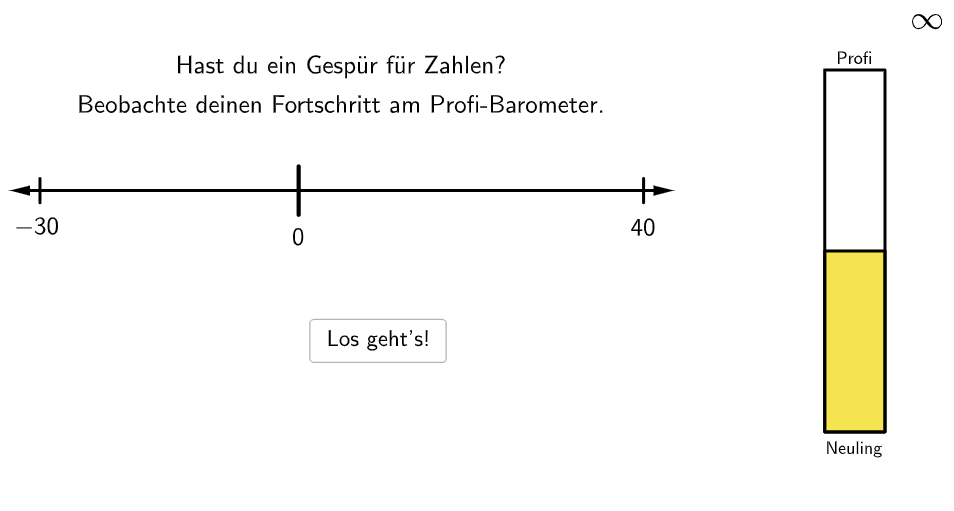
This example demonstrates how to compare and sort integers. Students can practice their skills by adjusting the position of the integers. The core math concepts involved include comparing and sorting integers, as well as the application of integers in real-life situations. The construction points include using the GeoGebra Zahlengerade object to draw the number line, using the Segment and Join objects to draw the segments between integers, and using the Text object to display the values of the integers. This example is suitable for teaching integer comparison and sorting in elementary school grades 5-6.
GeoGebra Commands & Parameters
RandomElement(maxNums) → maxNumVector(A + (0.5, 0), B) → uSegment((10, b), (10, (-b))) → gJoin({{100}, Shuffle[Sequence[Random[5, 95], i, 1, 100]]}) → randomNosRandomElement(minNums) → minNumRandomElement(numbers) → numPolygon((Max[0, If[numPos ≥ numZero > numPos - 0.5, numZero, numPos - 0.5]], -0.3), (Min[10, If[numPos < numZero ≤ numPos + 0.5, numZero, numPos + 0.5]], -0.3), (Min[10, If[numPos < numZero ≤ numPos + 0.5, numZero, numPos + 0.5]], 0.3), (Max[0, If[numPos ≥ numZero > numPos - 0.5, numZero, numPos - 0.5]], 0.3)) → q1, h, i, j, kSegment((0, 0), (0.1, 0)) → P0Segment((0.1, 0), (0.2, 0)) → P1Segment((0.2, 0), (0.3, 0)) → P2Segment((0.3, 0), (0.4, 0)) → P3Segment((0.4, 0), (0.5, 0)) → P4Segment((0.5, 0), (0.6, 0)) → P5Segment((0.6, 0), (0.7, 0)) → P6Segment((0.7, 0), (0.8, 0)) → P7Segment((0.8, 0), (0.9, 0)) → P8Segment((0.9, 0), (1, 0)) → P9Segment((1, 0), (1.1, 0)) → P10Segment((1.1, 0), (1.2, 0)) → P11Segment((1.2, 0), (1.3, 0)) → P12Segment((1.3, 0), (1.4, 0)) → P13Segment((1.4, 0), (1.5, 0)) → P14Segment((1.5, 0), (1.6, 0)) → P15Segment((1.6, 0), (1.7, 0)) → P16Segment((1.7, 0), (1.8, 0)) → P17Segment((1.8, 0), (1.9, 0)) → P18Segment((1.9, 0), (2, 0)) → P19Segment((2, 0), (2.1, 0)) → P20Segment((2.1, 0), (2.2, 0)) → P21Segment((2.2, 0), (2.3, 0)) → P22Segment((2.3, 0), (2.4, 0)) → P23Segment((2.4, 0), (2.5, 0)) → P24Segment((2.5, 0), (2.6, 0)) → P25Segment((2.6, 0), (2.7, 0)) → P26Segment((2.7, 0), (2.8, 0)) → P27Segment((2.8, 0), (2.9, 0)) → P28Segment((2.9, 0), (3, 0)) → P29Segment((3, 0), (3.1, 0)) → P30Segment((3.1, 0), (3.2, 0)) → P31Segment((3.2, 0), (3.3, 0)) → P32Segment((3.3, 0), (3.4, 0)) → P33Segment((3.4, 0), (3.5, 0)) → P34Segment((3.5, 0), (3.6, 0)) → P35Segment((3.6, 0), (3.7, 0)) → P36Segment((3.7, 0), (3.8, 0)) → P37Segment((3.8, 0), (3.9, 0)) → P38Segment((3.9, 0), (4, 0)) → P39Segment((4, 0), (4.1, 0)) → P40Segment((4.1, 0), (4.2, 0)) → P41Segment((4.2, 0), (4.3, 0)) → P42Segment((4.3, 0), (4.4, 0)) → P43Segment((4.4, 0), (4.5, 0)) → P44Segment((4.5, 0), (4.6, 0)) → P45Segment((4.6, 0), (4.7, 0)) → P46Segment((4.7, 0), (4.8, 0)) → P47Segment((4.9, 0), (5, 0)) → P49Segment((5, 0), (5.1, 0)) → P50Segment((5.1, 0), (5.2, 0)) → P51Segment((5.2, 0), (5.3, 0)) → P52Segment((5.3, 0), (5.4, 0)) → P53Segment((5.4, 0), (5.5, 0)) → P54Segment((5.5, 0), (5.6, 0)) → P55Segment((5.6, 0), (5.7, 0)) → P56Segment((5.7, 0), (5.8, 0)) → P57Segment((5.8, 0), (5.9, 0)) → P58Segment((5.9, 0), (6, 0)) → P59Segment((6, 0), (6.1, 0)) → P60Segment((6.1, 0), (6.2, 0)) → P61Segment((6.2, 0), (6.3, 0)) → P62Segment((6.3, 0), (6.4, 0)) → P63Segment((6.4, 0), (6.5, 0)) → P64Segment((6.5, 0), (6.6, 0)) → P65Segment((6.6, 0), (6.7, 0)) → P66Segment((6.7, 0), (6.8, 0)) → P67Segment((6.8, 0), (6.9, 0)) → P68Segment((6.9, 0), (7, 0)) → P69Segment((7, 0), (7.1, 0)) → P70Segment((7.1, 0), (7.2, 0)) → P71Segment((7.2, 0), (7.3, 0)) → P72Segment((7.3, 0), (7.4, 0)) → P73Segment((7.4, 0), (7.5, 0)) → P74Segment((7.5, 0), (7.6, 0)) → P75Segment((7.6, 0), (7.7, 0)) → P76Segment((7.7, 0), (7.8, 0)) → P77Segment((7.8, 0), (7.9, 0)) → P78Segment((7.9, 0), (8, 0)) → P79Segment((8, 0), (8.1, 0)) → P80Segment((8.1, 0), (8.2, 0)) → P81Segment((8.2, 0), (8.3, 0)) → P82Segment((8.3, 0), (8.4, 0)) → P83Segment((8.4, 0), (8.5, 0)) → P84Segment((8.5, 0), (8.6, 0)) → P85Segment((8.6, 0), (8.7, 0)) → P86Segment((8.7, 0), (8.8, 0)) → P87Segment((8.8, 0), (8.9, 0)) → P88Segment((8.9, 0), (9, 0)) → P89Segment((9, 0), (9.1, 0)) → P90Segment((9.1, 0), (9.2, 0)) → P91Segment((9.2, 0), (9.3, 0)) → P92Segment((9.3, 0), (9.4, 0)) → P93Segment((9.4, 0), (9.5, 0)) → P94Segment((9.5, 0), (9.6, 0)) → P95Segment((9.6, 0), (9.7, 0)) → P96Segment((9.7, 0), (9.8, 0)) → P97Segment((9.8, 0), (9.9, 0)) → P98Segment((9.9, 0), (10, 0)) → P99Segment((10, 0), (10.1, 0)) → P100Segment((4.8, 0), (4.9, 0)) → P48If(floor(barometer / 2) + 1 ≥ 10, 10, floor(barometer / 2) + 1) → colorIndexPolygon((-1, -7), (17, -7), (17, 4), (-1, 4)) → canvas, l, m, n, pVector(B - (0.5, 0), A) → u1Segment((0, b), (0, (-b))) → g1Segment((numZero, a), (numZero, (-a))) → fVector((numPos, -0.4), (numPos, 0)) → vText("\textsf{\(" + num + "\)}", (numPos + 0.05, -0.75), true, true, 0, 0) → text6
AI Drawing Prompt Reference
Draw a graph for integer comparison. Include a number line with integer markers placed at different positions. Connect the markers with line segments. Add text labels to show the integer values. Students can adjust the integer positions to practice comparing and sorting integers.
The prompt above was compiled from the original drawing commands and is for reference only.