
Input Your Trigonometric Function and See How the Slope Changes
Loading the math board and drawing, please wait…
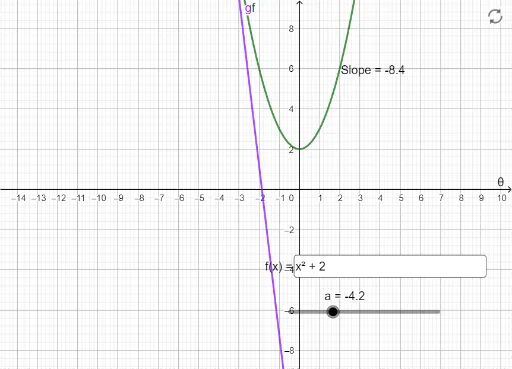
This interactive GeoGebra example allows users to type in any trigonometric function and observe how the slope of the tangent line changes as a point moves along the curve. It vividly demonstrates the geometric meaning of the derivative: the slope of the tangent at each point represents the instantaneous rate of change. Core mathematical concepts include derivative, tangent line, slope, and differential calculus. The construction uses a Textfield for user input, a Tangent command to draw the tangent at a movable point A on the graph of function f, and a Slope command to compute and display the slope value. Additional objects include the function f, point A, line g, and text1 for labeling. This resource is ideal for high school or introductory college calculus students, and serves as an effective classroom demonstration tool to bridge the gap between secant slopes and the derivative.
GeoGebra Commands & Parameters
Textfield(f) → InputBox1Tangent(A, f) → gSlope(g) → m