
IM Geo.4.7: Applying Ratios in Right Triangles
Loading the math board and drawing, please wait…
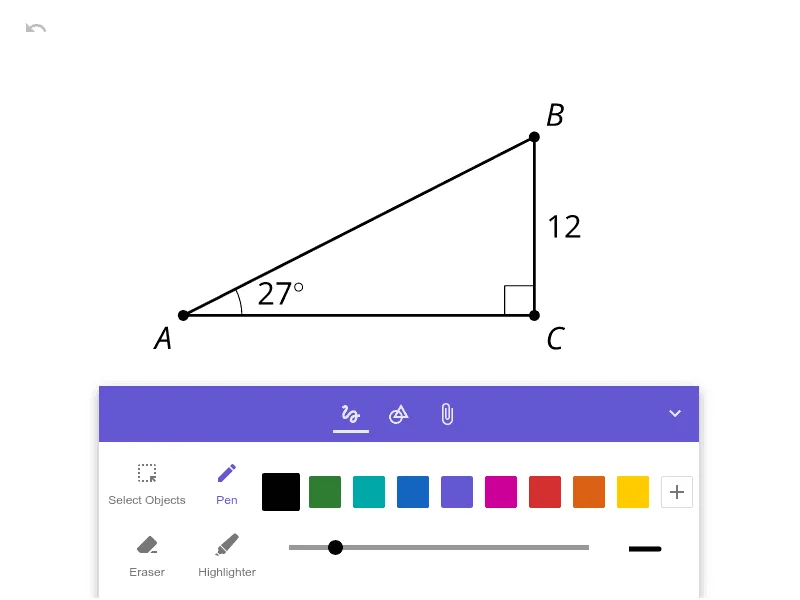
This example demonstrates how to use ratio relationships in a right triangle to solve for lengths and proportional quantities. It centers on core ideas such as similar-triangle thinking and the geometric interpretation of trigonometric ratios: sine, cosine, and tangent as specific side-to-hypotenuse (or side-to-side) ratios. Construction-wise, no GeoGebra commands were provided in the “construction summary,” so the build is intended to focus on the right-triangle geometry itself—creating a right triangle, identifying and labeling the relevant sides, and visually connecting those side lengths to the corresponding ratios for computation. The activity fits well for middle to early high school learners studying right-triangle trigonometry and for classroom practice or self-study where students learn to translate between a diagram and ratio-based calculations.
AI Drawing Prompt Reference
Draw a right triangle with one leg horizontal at the base and the other leg vertical, connected by a hypotenuse. Mark the right angle with a small square at the vertex. Label the three interior angles. Identify the hypotenuse as the longest side, and label the two legs as opposite and adjacent relative to one of the acute angles. Beside the triangle, list three ratios: opposite over hypotenuse, adjacent over hypotenuse, and opposite over adjacent, with arrows pointing to the corresponding sides to illustrate sine, cosine, and tangent. Keep the diagram clean and clear for comparing side lengths with their ratios.
The prompt above was compiled from the original drawing commands and is for reference only.