
Identifying Types of Conic Sections
Loading the math board and drawing, please wait…
In collections
Conics
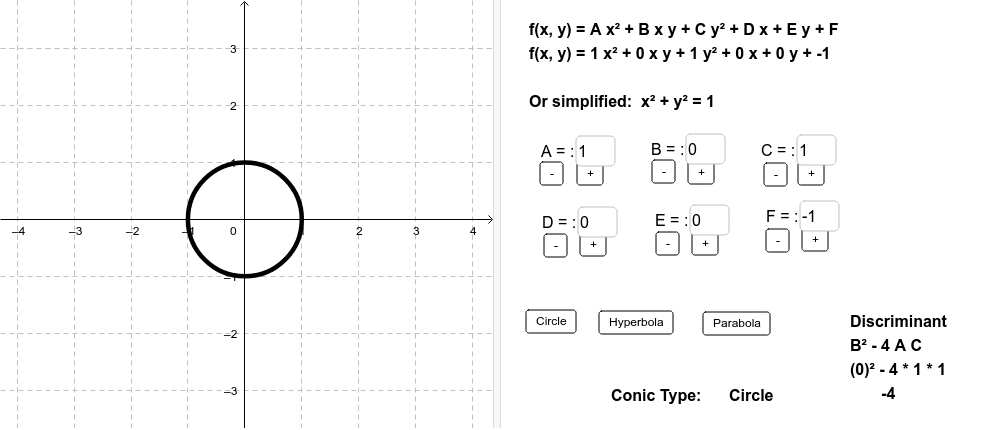
This example uses the discriminant B² - 4AC to identify the type of conic section. It demonstrates how to construct conic sections using GeoGebra commands and adjusts parameters A, B, C, etc., with sliders to observe different types of conic sections. Key mathematical concepts include the classification of conic sections, discriminant, and its geometric significance. Suitable for high school math education and students learning about conic sections.
GeoGebra Commands & Parameters
Textfield(A) → inputATextfield(B) → inputBTextfield(C) → inputCTextfield(D) → inputDTextfield(E) → inputETextfield(F) → inputF
AI Drawing Prompt Reference
Create an educational diagram for identifying conic section types. Show a dynamic conic curve in the center, whose shape is controlled by six adjustable numeric parameters representing coefficients in its equation. Place six input boxes near or below the curve, each linked to one parameter, allowing users to change values and alter the curve type. Display the discriminant value prominently, and use color or labels to indicate whether the current curve is an ellipse, hyperbola, or parabola based on its sign. Keep the layout clear for classroom use, emphasizing the relationship between parameter changes and curve classification.
The prompt above was compiled from the original drawing commands and is for reference only.