
Identifying Sides in Right Triangles
Loading the math board and drawing, please wait…
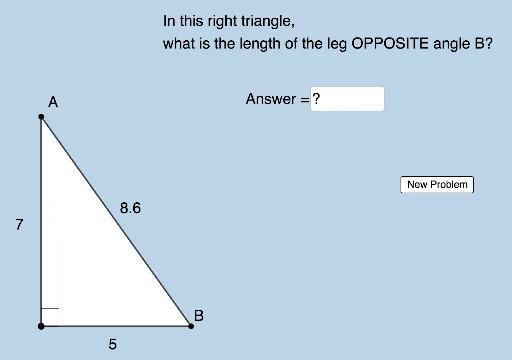
This example demonstrates how to identify sides in a right triangle with respect to acute angles. Key mathematical concepts include trigonometric functions (sine and cosine). Using GeoGebra commands such as RandomElement, Segment, and Angle, students can dynamically explore the properties of trigonometric functions. Suitable for middle school and above students to learn about similarity transformations, trigonometric functions, and right triangles.
GeoGebra Commands & Parameters
RandomElement(L) → aSegment(A_1, B) → gSequence(i, i, 3, a - 1, 1) → MLSequence(i, i, a + 1, 10, 1) → MRUnion(ML, MR) → MRandomElement(M) → bPolygon(A_1, B, A) → t1, c, a_1, b_1Segment(A_1, A) → fSegment(A, B) → hRandom(1, 5) → nAngle(B, A_1, A) → αTextfield(d) → InputBox1
AI Drawing Prompt Reference
Draw a right triangle with one acute angle at the lower left, the right angle at the lower right, and the other acute vertex at the upper left. From the right-angle vertex, draw a perpendicular segment to the hypotenuse, dividing the triangle into two smaller right triangles. Randomly select a point on the hypotenuse and mark the segment from that point to the right-angle vertex. Label the acute angle at the lower left with an angle symbol, and show the sine and cosine relationships for that angle. Add an input box near the figure to dynamically adjust the angle value, causing the triangle to update accordingly. Keep the construction clear for observing trigonometric ratios and side proportions.
The prompt above was compiled from the original drawing commands and is for reference only.