
Hyperbola Construction by Bryan Anderson
Loading the math board and drawing, please wait…
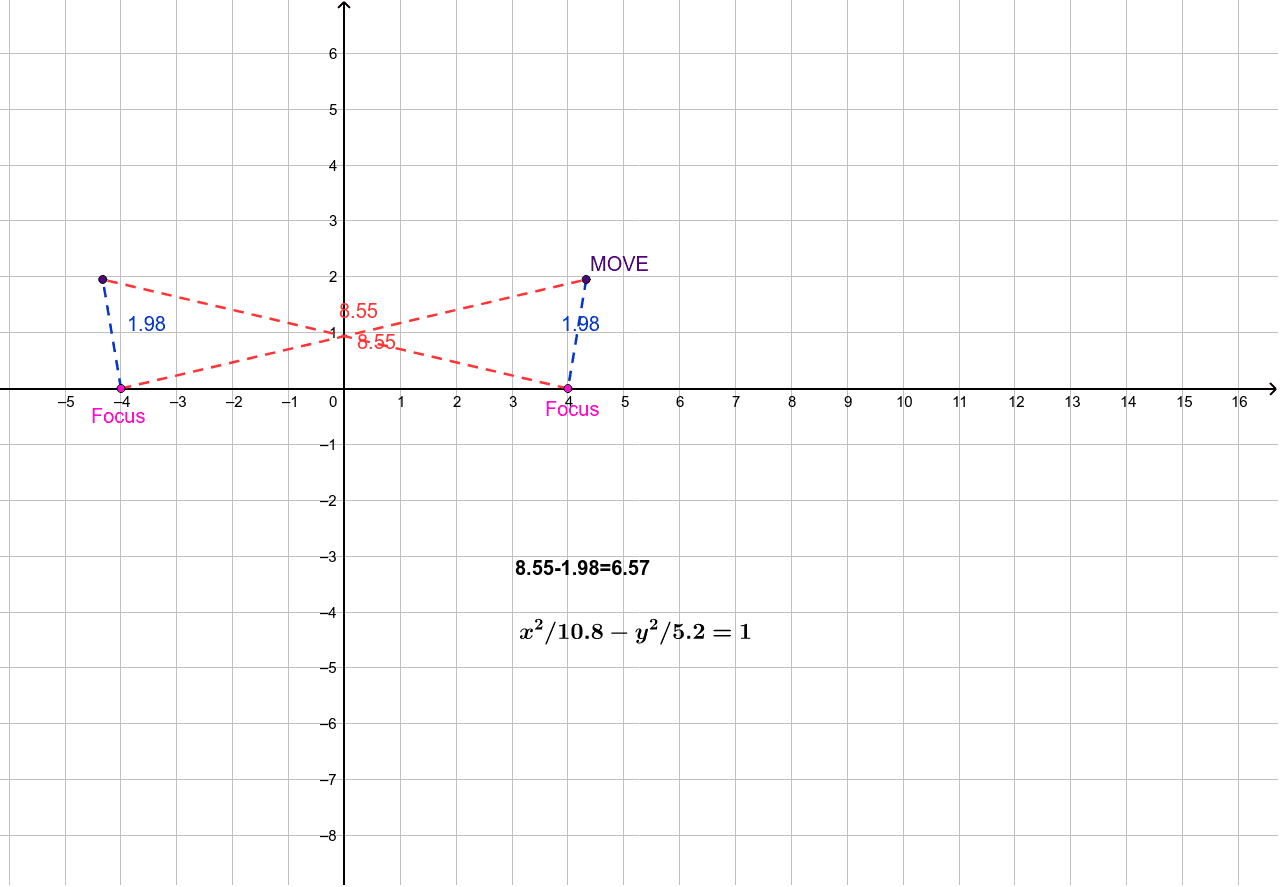
This example demonstrates the construction of a hyperbola. Key mathematical concepts include the definition and geometric properties of hyperbolas. Using GeoGebra commands such as Point, Mirror, and Hyperbola, the process of generating a hyperbola is visually illustrated. Suitable for high school mathematics education, particularly in coordinate geometry and conic sections.
GeoGebra Commands & Parameters
Point(xAxis) → BMirror(B, yAxis) → B'Hyperbola(B', B, C) → cPoint(c) → DSegment(B', D) → aSegment(D, B) → bText(((((a * "-") * b) * "=") * d)) → text1Mirror(D, yAxis) → D'Segment(B', D') → eSegment(B, D') → f
AI Drawing Prompt Reference
Draw a hyperbola to illustrate its construction. Start by creating a point on the x-axis, then mirror it across the y-axis. Use these two points and a new point to sketch the hyperbola. Take a point on the hyperbola and connect it to the mirrored and original points to form two line segments. Finally, display that the product of these two segments equals a constant and show the construction of the mirrored point and corresponding segments.
The prompt above was compiled from the original drawing commands and is for reference only.