
How to Create a Dilation
Loading the math board and drawing, please wait…
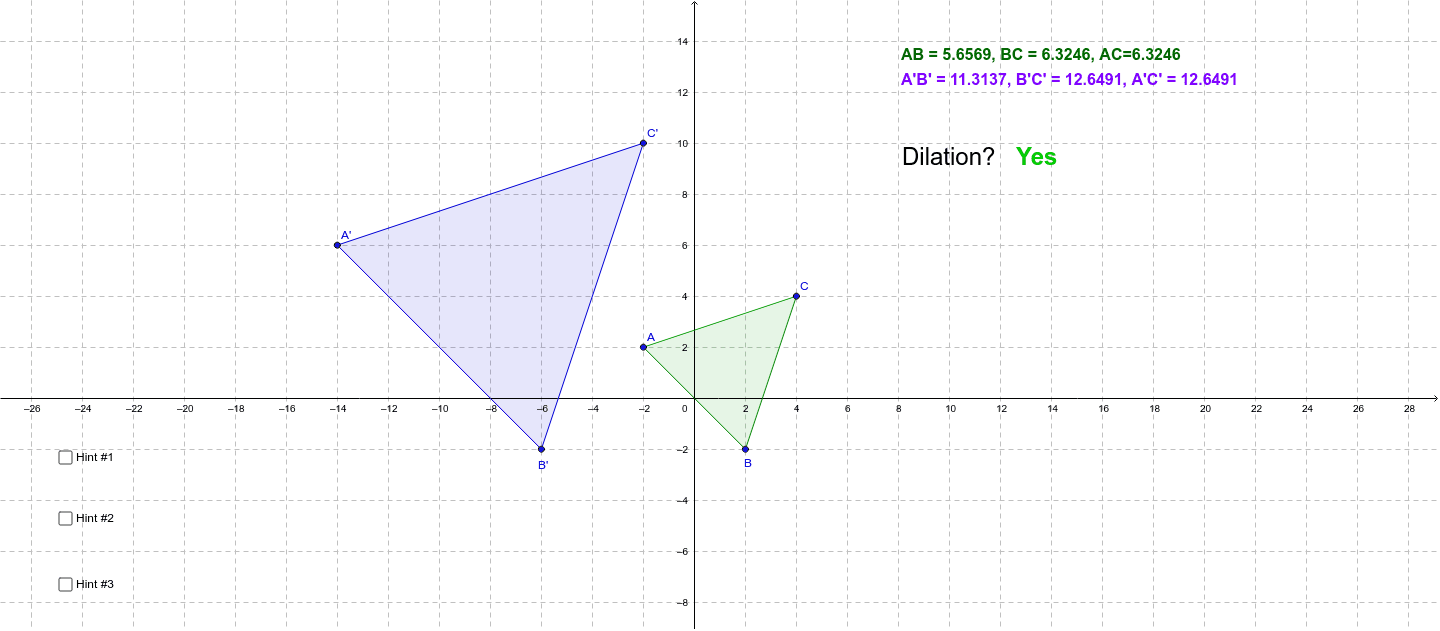
This example demonstrates how to create a dilation using GeoGebra, altering the size of a figure through a scale factor. It involves core mathematical concepts like proportionality, scale factors, and geometric transformations. Construction highlights the use of commands like Polygon and If, suitable for middle school and above learning geometric transformations and proportionality.
GeoGebra Commands & Parameters
Polygon(A, B, C) → poly1, c, a, bPolygon(A', B', C') → poly2, g, e, fIf(c / g ≟ a / e ∧ c / g ≟ b / f, j, k) → d
AI Drawing Prompt Reference
Draw a figure showing how a shape's size changes with a scale factor, demonstrating proportionality, scale factors, and geometric transformations. Start by drawing a polygon, then draw a scaled version of it using a slider for the scale factor, and connect corresponding vertices if the proportions are equal.
The prompt above was compiled from the original drawing commands and is for reference only.