
How Much Does It Cost? - Direct and Inverse Proportion Practice
Loading the math board and drawing, please wait…
In collections
Direkte Proportionalität
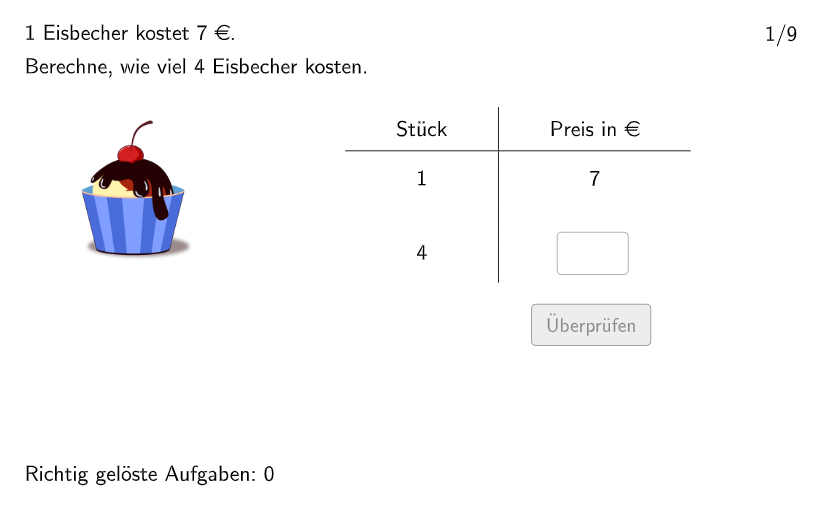
This interactive math exercise helps students master direct and inverse proportion applications through everyday shopping scenarios. Students solve unknown quantities based on given conditions. Core mathematical concepts include: establishing and solving proportion relationships, understanding functional relationships between variables, and result verification. Construction highlights: uses RandomElement and Shuffle commands for random problem generation, Textfield for user input, Validate button for instant feedback, and Point, Polygon, Semicircle commands for visual aids. Suitable for grades 5-6, this exercise can be used for classroom practice or homework review, helping students understand proportion applications in real life while developing mathematical modeling and logical reasoning skills.
GeoGebra Commands & Parameters
Join(Sequence[Join[{Shuffle[{1, 2, 3, 4, 5, 6}], Shuffle[{7, 8, 9}]}], i, 1, 9]) → listExnumsRandomElement({1, 2, 3, 4, 5, 6}) → excount1Join({{excount1}, Shuffle[{1, 2, 3, 4, 5, 6, 7, 8, 9} \ {excount1}], Join[Sequence[Shuffle[Sequence[m, m, 1, 9]], i, 1, 15]]}) → l3Join(Sequence[Shuffle[Sequence[m, m, 3, 9]], i, 1, 15]) → randomNosForXElement(randomNosForX, Mod[questionCount, 100] + 1) → numXJoin({numsNat, numsDezi}) → numsYTextfield(input1) → InputBox1Textfield(input2) → InputBox2Polygon(PtopLeftCornerFeedback, PtopRightCornerFeedback, PbottomRightCornerFeedback, PbottomLeftCornerFeedback) → rectangleCorrect, rectangleCorrectS3, rectangleCorrectS4, rectangleCorrectS2, rectangleCorrectS1Shuffle(Sequence[Random[0, 10], i, 1, 100]) → randomNosForY, {3, 10, 0, 2, 8, 10, 3, 7, 7, 1, 10, 7, 9, 10, 3, 10, 7, 4, 0, 7, 7, 8, 6, 6, 8, 5, 10, 1, 4, 2, 6, 9, 10, 5, 0, 5, 8, 5, 2, 7, 9, 8, 5, 0, 3, 10, 7, 4, 6, 2, 6, 6, 5, 10, 2, 4, 6, 10, 7, 6, 1, 10, 8, 10, 6, 7, 2, 3, 3, 9, 7, 2, 7, 1, 6, 6, 7, 9, 5, 6, 4, 9, 0, 5, 10, 8, 0, 6, 7, 9, 4, 5, 10, 10, 0, 0, 6, 2, 8, 0}Append(true, Sequence[If[randomNosForX(i) ≟ randomNosForX(i - 1), false, true], i, 2, 100]) → stayXAppend(true, Sequence[If[randomNosForY(i) ≟ randomNosForY(i - 1), false, true], i, 2, 100]) → stayYRemove(Sequence[If[stayX(i), randomNosForX(i), 0], i, 1, 100], Sequence[0, i, 1, 100]) → randomNosForXwithoutRepeatRemove(Sequence[If[stayY(i), randomNosForY(i), 0], i, 1, 100], Sequence[0, i, 1, 100]) → randomNosForYwithoutRepeatElement(randomNosForXwithoutRepeat, Mod[questionCount, Length[randomNosForXwithoutRepeat]] + 1) → numXwithoutRepeatElement(randomNosForYwithoutRepeat, Mod[questionCount, Length[randomNosForYwithoutRepeat]] + 1) → numYwithoutRepeatLength(numsY) → maxexnumSemicircle(A2, A) → cSemicircle(B, B2) → dPoint(Line[E, xAxis]) → FPoint(Line[C, xAxis]) → DPoint(Line[G, xAxis]) → HPoint(Line[I, xAxis]) → JPoint(Line[M, xAxis]) → NPoint(Line[K, xAxis]) → LPoint(Line[O, xAxis]) → PPoint(Line[Q, xAxis]) → RPoint(Line[S, xAxis]) → TPoint(Line[U, xAxis]) → V
AI Drawing Prompt Reference
Describe a graphical interface for a math proportion practice exercise. It includes two input boxes for user input, a correct answer rectangle, a proportion semicircle, and multiple points. The construction order is: first create input boxes, then generate random numbers and draw the rectangle, then draw the semicircle and points to represent the proportion relationship. The graphic helps students understand mathematical modeling and logical reasoning skills in real-life proportion applications.
The prompt above was compiled from the original drawing commands and is for reference only.