
Horizontal Translation With Slider by Sara Fagan
Loading the math board and drawing, please wait…
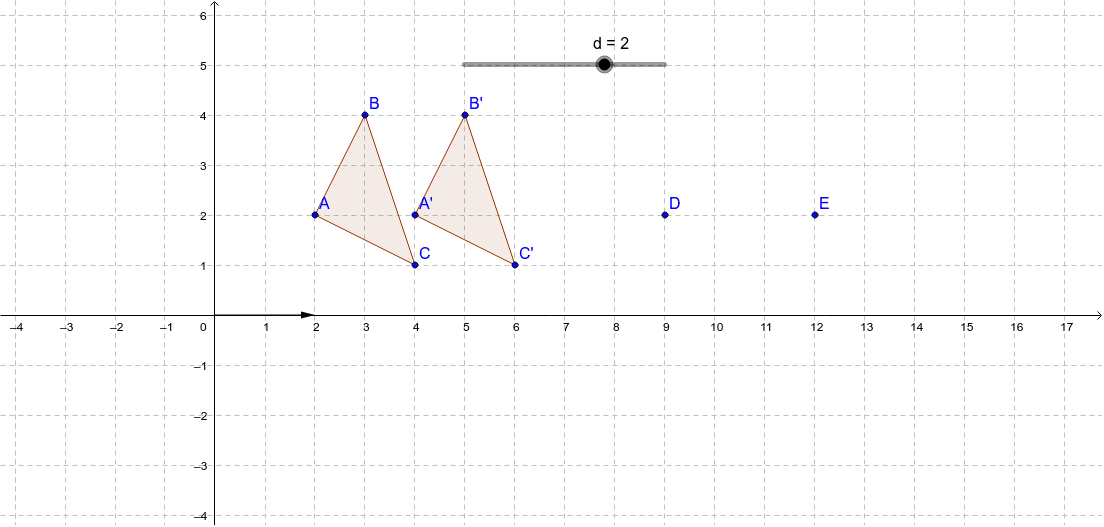
This example demonstrates the dynamic process of horizontally translating a polygon using a slider. It involves core mathematical concepts such as geometric transformations, translation operations, and parameterization via sliders. Key GeoGebra commands and objects used, as derived from the construction summary, include Polygon and Translate. Suitable for high school mathematics instruction to visually illustrate geometric transformations and parametric thinking.
GeoGebra Commands & Parameters
Polygon(A, B, C) → poly1, c, a, bTranslate(A, u) → A'Translate(B, u) → B'Translate(C, u) → C'Polygon(A', B', C') → poly1', c', a', b'
AI Drawing Prompt Reference
Draw a triangle formed by three points and use a slider to horizontally translate it. The slider controls the translation distance, and the triangle remains the same shape but moves. The construction order is to draw the triangle first, then adjust its position using the slider, and finally show the translated triangle.
The prompt above was compiled from the original drawing commands and is for reference only.