
Height Calculation
Loading the math board and drawing, please wait…
In collections
Special Lines and Centres of Triangle
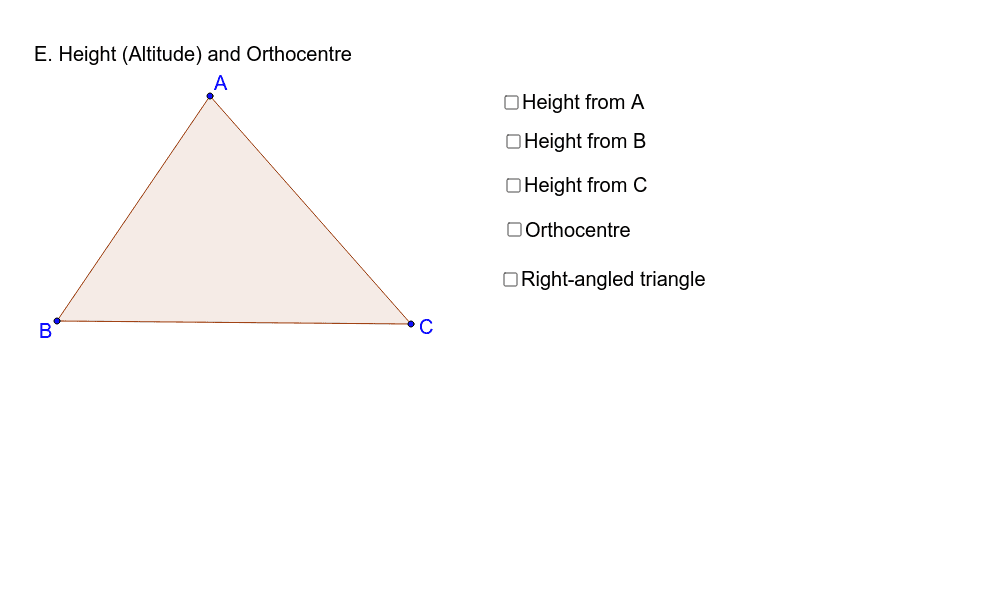
This example demonstrates how to draw and calculate the height of geometric shapes using GeoGebra. Key math concepts include polygons, line intersections, angle calculations, and fractional operations. Construction highlights involve commands like Polygon, OrthogonalLine, Intersect, Segment, and Angle. Suitable for high school mathematics teaching, focusing on geometric constructions and computational exercises.
GeoGebra Commands & Parameters
Polygon(A, B, C) → poly1, c, a, bOrthogonalLine(A, a) → dIntersect(d, a) → DSegment(A, D) → eAngle(C, D, A) → αOrthogonalLine(C, c) → fOrthogonalLine(B, b) → gIntersect(f, c) → ESegment(C, E) → hIntersect(g, b) → FSegment(B, F) → iIntersect(e, h) → HAngle(B, F, C) → βAngle(B, E, C) → γ
AI Drawing Prompt Reference
Draw a triangle and construct perpendicular lines from each vertex to the opposite side, marking the foot of each perpendicular. Connect each vertex to its corresponding foot to form three altitudes. These altitudes intersect at a single point, the orthocenter. At each foot, label the angle formed by the altitude, the opposite side, and an adjacent side, showing their measures. The figure should clearly display the triangle, the three altitudes, the orthocenter, and the angle labels.
The prompt above was compiled from the original drawing commands and is for reference only.