
Height Calculation of FLINKisten Cuboid
Loading the math board and drawing, please wait…
In collections
Quader und Würfel - Volumen
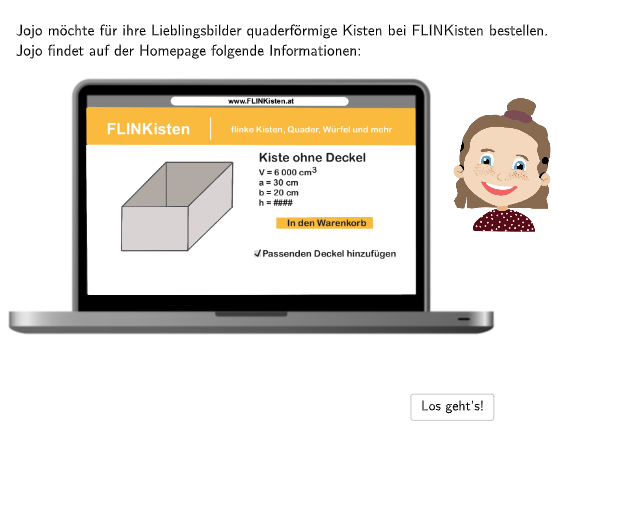
This example demonstrates how to calculate the height of a cuboid on the FLINKisten website. Key mathematical concepts include the volume and height calculation of cuboids in solid geometry. It uses GeoGebra commands such as PointBubble and Bubble1 for geometric construction. Suitable for 7-8 grade students.
GeoGebra Commands & Parameters
SpeechBubbleRight(PointBubble + (0, 0.4), 11, 2.2) → Bubble1Textfield(input1) → InputBox1SpeechBubbleRight(S, 11.5, 2.6) → Bubble2SpeechBubbleRight(PointBubble + (0, 1), 8.5, 1.5) → Bubble3Textfield(input4) → InputBox4Textfield(input5) → InputBox5Textfield(input6) → InputBox6SpeechBubbleRight(PointBubble + (0, 1.8), 9.4, 1.5) → Bubble4SpeechBubbleRight(PointBubble + (0, 1.3), 12.7, 1.8) → Bubble5SelectedIndex(drop) → indexSpeechBubbleRight(PointBubble + (0, 1.3), 10.5, 1.6) → Bubble6Textfield(input2) → InputBox2Textfield(input7) → InputBox3Textfield(input8) → InputBox7Textfield(input9) → InputBox9Textfield(input10) → InputBox10Textfield(input11) → InputBox11
AI Drawing Prompt Reference
Draw a cuboid (rectangular prism) on a coordinate plane with a clear 3D perspective so its edges and faces are visible. Include on the right side several speech-bubble style labels that guide the user to enter the required values for calculating the cuboid’s height, along with distinct input fields placed near those bubbles. Add text labels near the diagram to indicate which quantities relate to the height computation, reflecting that height is obtained using solid-geometry relations involving volume and the cuboid’s dimensions. Construct the cuboid first, then place the annotation bubbles, input areas, and the final output hint in sequence.
The prompt above was compiled from the original drawing commands and is for reference only.