
Guess Who? Learning Parallelogram Properties
Loading the math board and drawing, please wait…
In collections
Parallelogramm und Raute: Eigenschaften und Konstruktionen
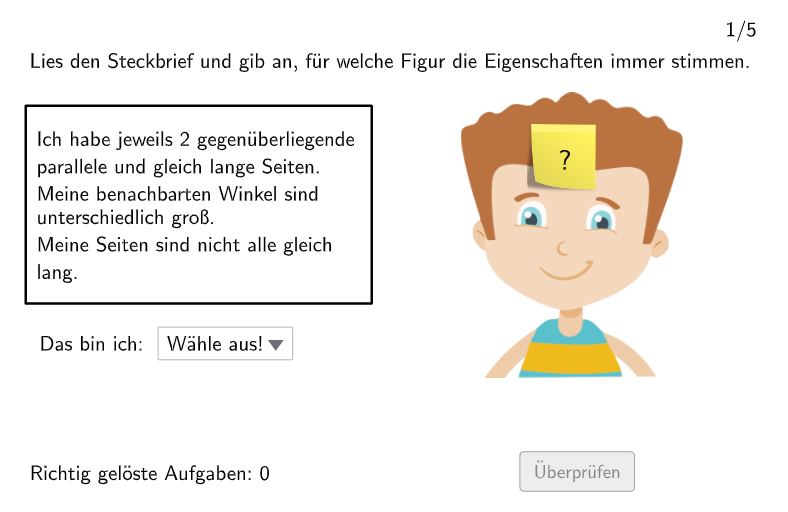
This interactive GeoGebra lesson helps students identify and justify whether a given quadrilateral is a parallelogram through a “guess and validate” quiz workflow. It focuses on key parallelogram concepts such as opposite sides being parallel and equal, opposite angles being equal, and adjacent angles being supplementary. Construction and interaction are driven by randomized question generation and automatic checking: SelectedIndex and dropdownStudent choose the student’s selection, Shuffle randomizes parameters via randomNumbersQuestion/actualRandomTask, and Element retrieves required elements from sets. Length is used to compute/verify side-length relationships, while validate along with correct/correctCount and feedback objects (txtFeedback, rectangleFeedback) provide immediate results. Hints and solution support are shown via showHint, showsolution, and typical-error handling through replaceWithElementToCheck and isTypicalError. Suitable for Grades 5–6 geometry practice and property-based reasoning tasks.
GeoGebra Commands & Parameters
SelectedIndex(dropdownStudent) → studentAnswerShuffle(1…5) → randomNumbersQuestion, {2, 5, 1, 4, 3}Element(randomNumbersQuestion, Mod[questionCount, Length[randomNumbersQuestion]] + 1) → actualRandomTaskLength(randomNumbersQuestion) → numberOfQuestionsShuffle(1…5) → randomNumbersChild, {2, 4, 1, 3, 5}Shuffle(1…5) → randomNumbersPostIt, {5, 2, 1, 3, 4}Element(randomNumbersChild, Mod[questionCount, Length[randomNumbersChild]] + 1) → actualRandomChildElement(randomNumbersPostIt, Mod[questionCount, Length[randomNumbersPostIt]] + 1) → actualRandomPostIt
AI Drawing Prompt Reference
Create an interactive parallelogram identification and verification learning tool for geometry practice. In the center of the canvas, display a changeable quadrilateral with a dropdown menu below for students to select whether the shape is a parallelogram. Show a question counter and question number on the right side. Use random functions to generate different types of problems testing parallelogram properties such as opposite sides being parallel, opposite sides being equal, opposite angles being equal, and adjacent angles being supplementary. Include a submit button that automatically validates the student's answer and provides immediate feedback. Reserve a hint area for displaying solution steps or typical error explanations. The interface should be clear and suitable for grades 5-6 geometry property reasoning practice.
The prompt above was compiled from the original drawing commands and is for reference only.