
Graphs of Derivatives: Visualizing Tangent Slopes
Loading the math board and drawing, please wait…
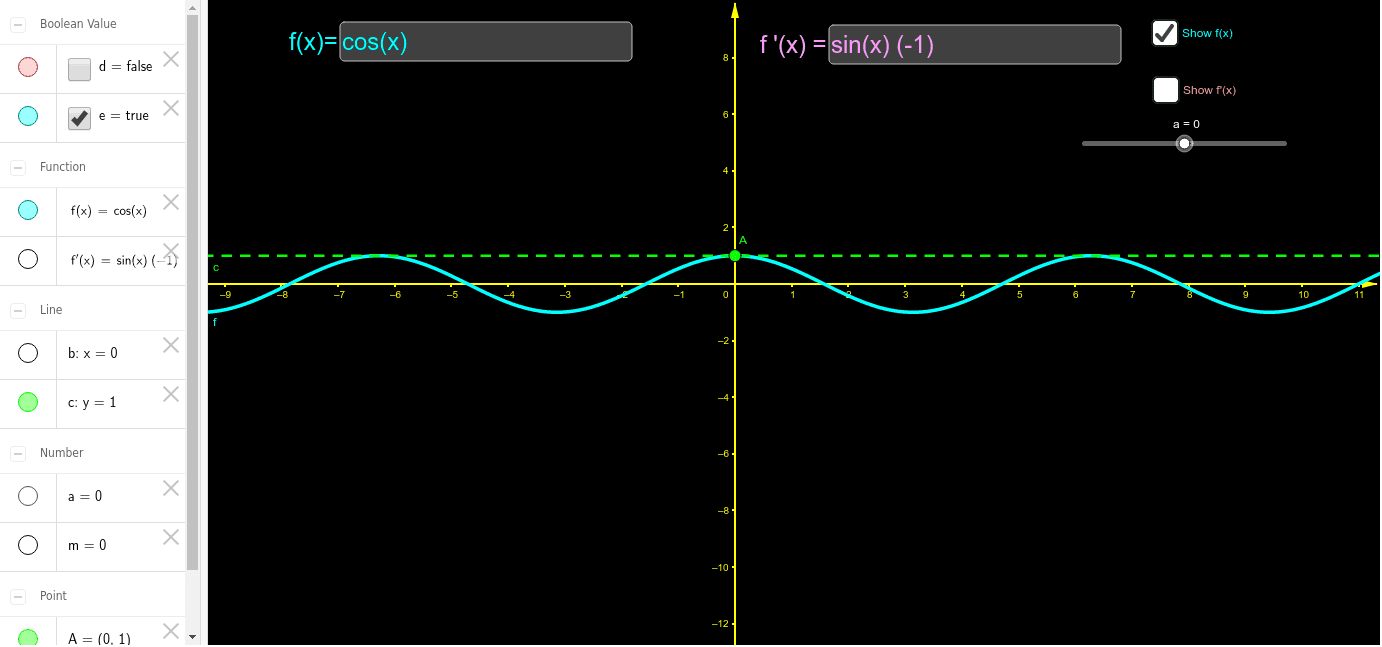
This GeoGebra example dynamically illustrates the relationship between a function f and its derivative f', making the geometric meaning of the derivative as the slope of the tangent line visually explicit. Core mathematical concepts include the definition of the derivative, tangent slope, and the correspondence between the sign of the derivative and the monotonicity of the function. Construction highlights: the Intersect command finds intersection points between the function and tangent lines, Tangent constructs the tangent line through a movable point P, Slope computes the slope value m, and Textfield creates input boxes to dynamically alter the function expression or parameters. Key objects include the function f, the moving point P, the tangent line d, the slope value m, and the traced graph of f'. This is suitable for high school calculus introduction or college-level elementary calculus, helping students grasp how the derivative graph relates to the original function and how to identify extrema through changes in tangent slope.
GeoGebra Commands & Parameters
Intersect(f, b, 1) → ATangent(A, f) → cSlope(c) → mTextfield(f) → inputBox1Textfield(f') → inputBox2
AI Drawing Prompt Reference
Draw a graph of a function and its derivative. Place a movable point on the original function curve. Through this point, draw a tangent line to the curve and display the numerical value of its slope. As the point moves along the curve, trace the changing slope values to form the derivative graph. Provide two input boxes to edit the function expression and its derivative expression, allowing dynamic observation of how changes affect the tangent slope and derivative curve. The figure should clearly show the tangent line touching the curve, the slope value label, and the correspondence between the derivative curve and the original function.
The prompt above was compiled from the original drawing commands and is for reference only.