
Graphing Rational Numbers on a Number Line
Loading the math board and drawing, please wait…
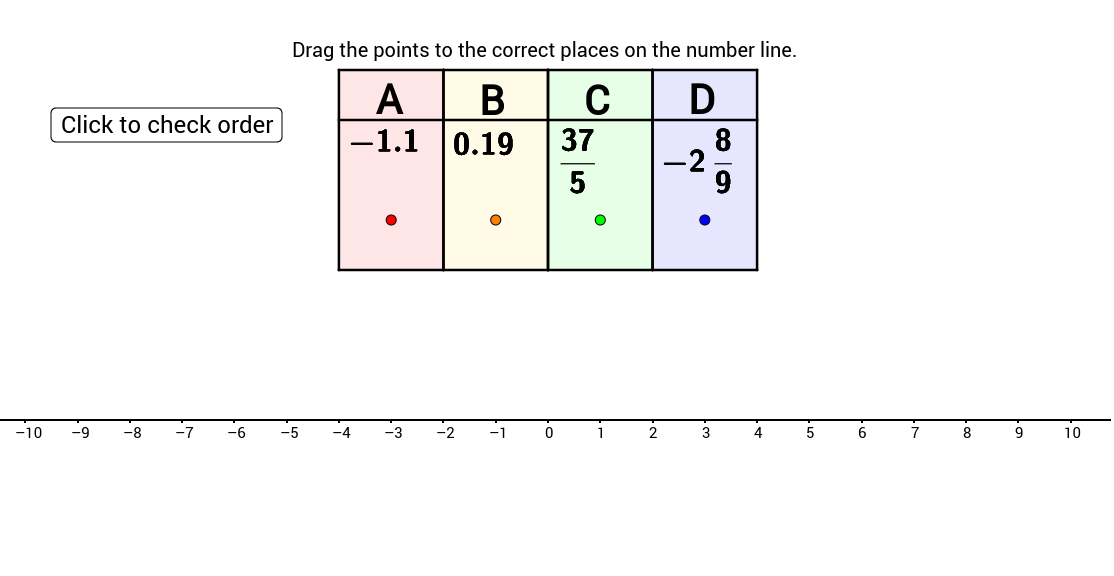
This example demonstrates the representation of rational numbers on a number line by dragging them to their correct positions. Key mathematical concepts include rational numbers and their positions on the number line. Commands used include RandomElement, If, Polygon, Segment, FractionText, Random, and Sort. Suitable for middle school and above students to learn about rational numbers.
GeoGebra Commands & Parameters
RandomElement({2, 3, 4, 5, 6, 7, 8, 9, 10, 11, 12}) → CdenomIf(Cdenom ≟ 2, Random[-20, 20, true], If[Cdenom ≟ 3, Random[-30, 30, true], If[Cdenom ≟ 4, Random[-40, 40, true], If[Cdenom ≟ 5, Random[-50, 50, true], If[Cdenom ≟ 6, Random[-60, 60, true], If[Cdenom ≟ 7, Random[-70, 70, true], If[Cdenom ≟ 8, Random[-80, 80, true], If[Cdenom ≟ 9, Random[-90, 90, true], If[Cdenom ≟ 10, Random[-100, 100, true], If[Cdenom ≟ 11, Random[-110, 110, true], If[Cdenom ≟ 12, Random[-120, 120, true]]]]]]]]]]]) → CnumPolygon(I, W, V, J) → poly1, i, w, v, jPolygon(J, V, U, K) → poly2, j_1, v_1, u, kPolygon(K, U, T, L) → poly3, k_1, u_1, t, lPolygon(L, T, S, M) → poly4, l_1, t_1, s, mSegment(H, G) → cSegment(G, Z) → dSegment(Z, E) → eSegment(E, F) → fFractionText(C) → CfancyRandomElement({2, 3, 4, 5, 6, 7, 8, 9, 10, 11, 12}) → DdenomRandomElement({-9, -8, -7, -6, -5, -4, -3, -2, -1, 1, 2, 3, 4, 5, 6, 7, 8, 9}) → DwholeRandom(1, Ddenom - 1, true) → DnumFractionText(Dnum / Ddenom) → DfancyIf(Dwhole < 0, Dwhole - Dnum / Ddenom, Dwhole + Dnum / Ddenom) → DSegment(A_1, Aact) → aerrSegment(B_1, Bact) → berrSegment(C_1, Cact) → cerrSegment(D_1, Dact) → derrSort({A, B, C, D}) → testSort({x(A_1), x(B_1), x(C_1), x(D_1)}) → test2If(IndexOf[A, Sort[{A, B, C, D}]] ≟ IndexOf[x(A_1), Sort[{x(A_1), x(B_1), x(C_1), x(D_1)}]], 1) → orderAIf(IndexOf[B, Sort[{A, B, C, D}]] ≟ IndexOf[x(B_1), Sort[{x(A_1), x(B_1), x(C_1), x(D_1)}]], 1) → orderBIf(IndexOf[C, Sort[{A, B, C, D}]] ≟ IndexOf[x(C_1), Sort[{x(A_1), x(B_1), x(C_1), x(D_1)}]], 1) → orderCIf(IndexOf[D, Sort[{A, B, C, D}]] ≟ IndexOf[x(D_1), Sort[{x(A_1), x(B_1), x(C_1), x(D_1)}]], 1) → orderD
AI Drawing Prompt Reference
Draw a number line and place several fractions, including whole and fractional numbers, on it. First, randomly choose a denominator (2 to 12) and then generate a numerator based on the denominator to form a fraction. Mark these fractions on the number line. Next, randomly choose another denominator (2 to 12) and generate a mixed number, then place it on the number line. Finally, ensure all fractions are sorted in ascending order and adjust their positions on the number line.
The prompt above was compiled from the original drawing commands and is for reference only.