
Graphical Demonstration of the Product-Sum Method for Factoring Quadratics
Loading the math board and drawing, please wait…
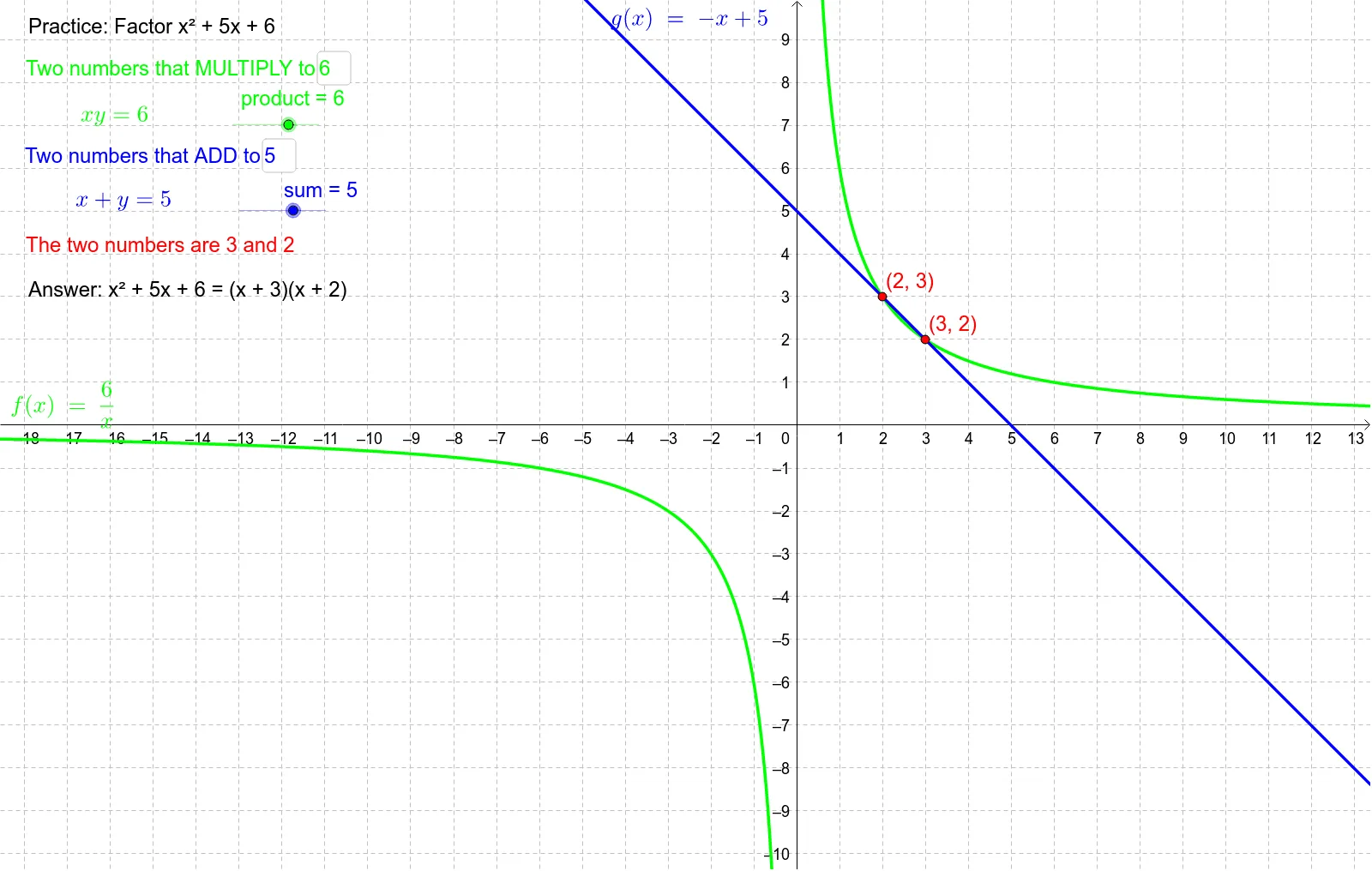
This example graphically demonstrates the product-sum method for factoring quadratics. It involves core math concepts like quadratic functions, factoring, product-sum relationships. The construction uses GeoGebra commands/objects such as Textfield, Intersect, and elements like product, sum, f, inputBox1, inputBox2, g, A, B. It is suitable for high school mathematics teaching or self-learning to understand the geometric meaning of factoring.
GeoGebra Commands & Parameters
Textfield(product) → inputBox1Textfield(sum) → inputBox2Intersect(f, g, (3.0000000000029656, 1.999999999998023)) → A
AI Drawing Prompt Reference
Draw a quadratic function graph, input two numbers representing the sum and product of the coefficients of the quadratic and linear terms, then plot the corresponding quadratic function. Next, find the intersection of this quadratic function with another specific function, and display the coordinates of the intersection point.
The prompt above was compiled from the original drawing commands and is for reference only.