
Geometry Construction Step 2: Perpendicular Lines and Intersections
Loading the math board and drawing, please wait…
In collections
Phebe Tanner Translation Tessallation
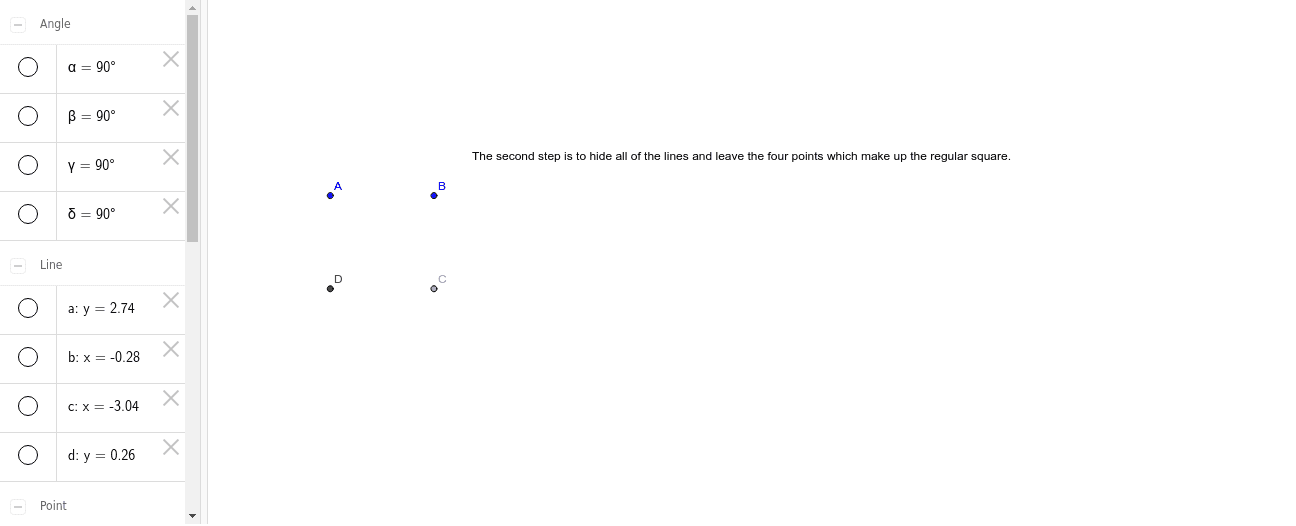
① This example demonstrates a step-by-step geometric construction, showing how to draw lines, perpendiculars, intersections, segments, and angles to form a dynamic figure. ② The core mathematical concepts include perpendicularity, intersection properties, angle measurement, and dependency relationships among geometric objects. Although the original tags mention conditional probability, limits, boxplots, histograms, and optimization, the actual construction focuses on fundamental Euclidean geometry. ③ Construction details: Using GeoGebra commands such as Line, OrthogonalLine, Point, Intersect, Segment, and Angle, the objects A, B, a, b, c, C, d, D, e, f, g, h, α, β, γ, δ, and text1 are created to build the figure progressively and label angles. ④ Suitable for middle or high school geometry lessons, this example helps students understand perpendicular line construction, intersection determination, and angle labeling, and can serve as an introductory dynamic geometry exploration.
GeoGebra Commands & Parameters
Line(A, B) → aOrthogonalLine(B, a) → bOrthogonalLine(A, a) → cPoint(b) → COrthogonalLine(C, c) → dIntersect(c, d) → DSegment(D, C) → eSegment(C, B) → fSegment(B, A) → gSegment(A, D) → hAngle(A, B, C) → αAngle(C, D, A) → βAngle(D, A, B) → γAngle(B, C, D) → δ
AI Drawing Prompt Reference
Start by drawing a horizontal line and placing two points on it. Through each of these points, construct a perpendicular line, creating two parallel vertical lines. Pick an arbitrary point on one of these vertical lines, then draw a line through it perpendicular to the other vertical line, intersecting that second vertical line at a fourth point. Connect these four points in order to form a quadrilateral. Finally, mark the four interior angles at the vertices and display their measures, resulting in a rectangle or right trapezoid constructed from perpendicular lines.
The prompt above was compiled from the original drawing commands and is for reference only.