
Geometric Representation of Fractions
Loading the math board and drawing, please wait…
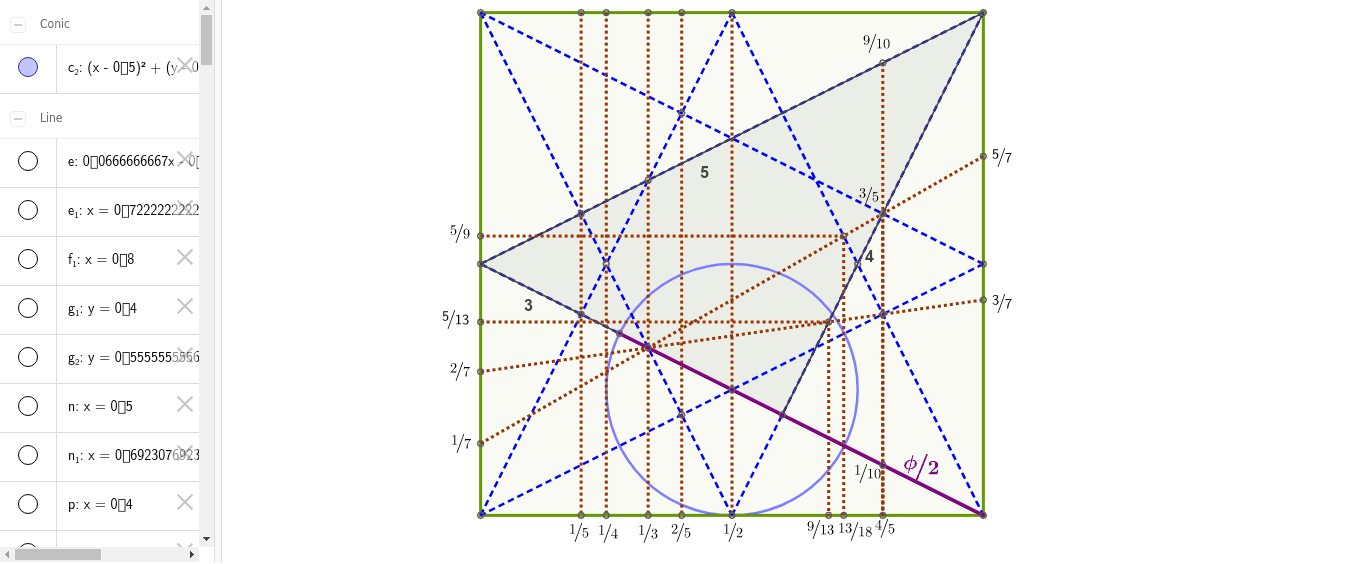
This example dynamically demonstrates the geometric representation of fractions, converting them into area comparisons or length ratios. It involves core math concepts like fractions, geometric area, proportionality, and analytical geometry. GeoGebra commands and objects used include Polygon, Segment, Line, Intersect, OrthogonalLine, and Circle for construction. Suitable for high school mathematics teaching to understand the visual meaning and geometric application of fractions.
GeoGebra Commands & Parameters
Polygon(A, B, C, D) → poly1, a, b, c, dSegment(D, E) → fSegment(E, C) → gSegment(A, H) → hSegment(H, B) → iSegment(F, C) → jSegment(F, B) → kSegment(G, A) → lSegment(G, D) → mLine(H, E) → nIntersect(h, m) → IIntersect(f, l) → JLine(I, J) → pIntersect(h, j) → KIntersect(f, k) → LLine(K, L) → qIntersect(f, h) → MOrthogonalLine(M, a) → rIntersect(f, j) → NIntersect(h, k) → OLine(N, O) → sIntersect(g, i) → PIntersect(g, m) → QLine(Q, L) → tIntersect(i, l) → RLine(R, L) → eLine(Q, R) → f_1Line(R, O) → g_1Intersect(s, c) → SIntersect(s, a) → TSegment(S, T) → h_1Intersect(r, c) → UIntersect(r, a) → VSegment(U, V) → i_1Intersect(q, c) → WIntersect(q, a) → ZSegment(W, Z) → j_1Intersect(p, c) → A_1Intersect(p, a) → B_1Segment(A_1, B_1) → k_1Segment(H, E) → l_1Intersect(f_1, a) → C_1Segment(Q, C_1) → m_1Intersect(t, b) → E_1Intersect(t, d) → F_1Segment(E_1, F_1) → p_1Intersect(e, d) → G_1Intersect(e, b) → H_1Segment(G_1, H_1) → q_1Intersect(f_1, k) → I_1Segment(C_1, I_1) → r_1Intersect(f_1, j) → J_1Segment(J_1, C_1) → s_1Intersect(g, k) → D_1Polygon(F, D_1, C) → poly2, c_1, f_2, d_1Intersect(k, l) → K_1Intersect(g, q_1) → L_1Line(L_1, b) → n_1Line(L_1, a) → t_1Intersect(t_1, d) → M_1Segment(M_1, L_1) → a_1Intersect(n_1, a) → N_1Segment(L_1, N_1) → b_1Intersect(i, p_1) → O_1Line(O_1, b) → e_1Line(O_1, a) → g_2Intersect(g_2, d) → P_1Intersect(e_1, a) → Q_1Segment(P_1, O_1) → h_2Segment(O_1, Q_1) → i_2Circle(K_1, E) → c_2Intersect(c_2, k, 1) → R_1Segment(B, R_1) → j_2
AI Drawing Prompt Reference
Draw a quadrilateral ABCD, then construct multiple segments and intersections inside it to form several small triangles and quadrilaterals, ultimately showing the geometric representation of fractions. First, draw quadrilateral ABCD, then draw segments DE, EC, AH, HB, FB, FC, GA, and GD. Next, construct segments HI, IJ, JK, KL, MN, NO, PQ, QR, ST, UV, WX, and YZ. Finally, draw the intersections of these segments to form multiple small triangles and quadrilaterals.
The prompt above was compiled from the original drawing commands and is for reference only.