
Geometric Constructions 10-17
Loading the math board and drawing, please wait…
This example demonstrates geometric constructions from 10 to 17 steps, involving basic geometric elements such as segments, circles, midpoints, and angle bisectors. Using GeoGebra commands like Segment, Circle, Midpoint, and AngularBisector, one can learn how to accurately perform geometric constructions. Suitable for middle school and above students or teachers.
GeoGebra Commands & Parameters
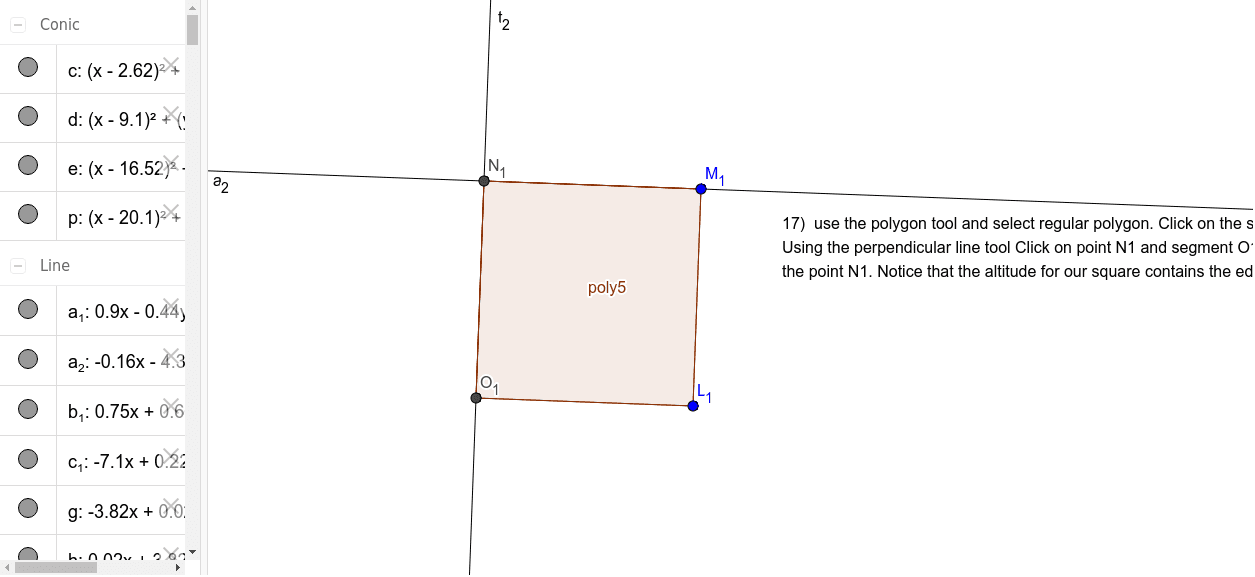
Segment(A, B) → fCircle(B, A) → cOrthogonalLine(B, f) → gIntersect(c, g, 2) → CLine(C, f) → hOrthogonalLine(A, h) → iIntersect(h, i) → DSegment(E, F) → jCircle(E, F) → dOrthogonalLine(E, j) → kOrthogonalLine(F, j) → lPoint(k) → GLine(G, j) → mIntersect(l, m) → HSegment(I, J) → nCircle(I, J) → eCircle(J, I) → pIntersect(e, p, 1) → KSegment(I, K) → qSegment(K, J) → rPolygon(L, M, N, O) → poly1, l_1, m_1, n_1, oMidpoint(m_1) → PMidpoint(n_1) → QMidpoint(o) → RMidpoint(l_1) → SSegment(L, P) → sSegment(L, Q) → tSegment(M, R) → aSegment(M, Q) → bSegment(O, S) → f_1Segment(O, P) → g_1Segment(N, R) → h_1Segment(N, S) → i_1Polygon(T, U, V, W) → poly2, t_1, u, v, wMidpoint(t_1) → ZMidpoint(w) → A_1Midpoint(v) → B_1Midpoint(u) → C_1Segment(Z, C_1) → j_1Segment(C_1, B_1) → k_1Segment(B_1, A_1) → p_1Segment(A_1, Z) → q_1Polygon(D_1, E_1, F_1, G_1) → poly3, d_1, e_1, f_2, g_2AngularBisector(D_1, E_1, F_1) → r_1AngularBisector(E_1, F_1, G_1) → s_1AngularBisector(F_1, G_1, D_1) → a_1AngularBisector(G_1, D_1, E_1) → b_1Polygon(H_1, I_1, J_1, K_1) → poly4, h_2, i_2, j_2, k_2LineBisector(i_2) → c_1LineBisector(j_2) → l_2LineBisector(k_2) → m_2LineBisector(h_2) → n_2Polygon(L_1, M_1, 4) → poly5, p_2, q_2, r_2, s_2, N_1, O_1OrthogonalLine(N_1, s_2) → t_2OrthogonalLine(N_1, p_2) → a_2
AI Drawing Prompt Reference
Draw a complex geometric figure composed of multiple triangles and quadrilaterals. Start by drawing segment AB, then draw a circle with center B, followed by the perpendicular line to the circle at B, find the intersection point C, then draw a line through C, and continue in this manner to construct multiple triangles and quadrilaterals, ultimately forming a complex figure made up of several triangles and quadrilaterals.
The prompt above was compiled from the original drawing commands and is for reference only.