
Geometric Construction Template for Frustum of a Cone
Loading the math board and drawing, please wait…
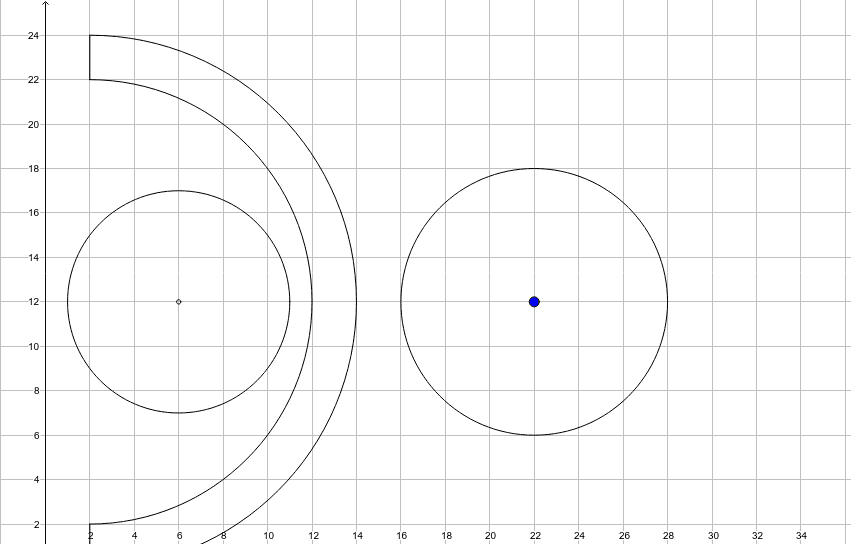
This GeoGebra example demonstrates how to construct a geometric template for the frustum of a cone. Key mathematical concepts include the geometric properties of cones, the application of geometric mean in proportional relationships, and characteristics of plane figures such as circles, rectangles, and kites. The construction utilizes GeoGebra commands: Point for defining key vertices, CircleArc for drawing arcs of the bottom and top circles, Segment for connecting vertices to form outline lines, and Circle for locating centers and radii. The objects D, E, F, G, H, c, d, e, f, I, g, h, J, A, k establish a complete geometric framework. This template is ideal for early high school geometry introducing solid figures, senior high school mathematics covering solids of revolution and nets, and for teacher education programs demonstrating geometric construction techniques.
GeoGebra Commands & Parameters
Point(xAxis) → ECircleArc(D, H, G) → cCircleArc(D, E, F) → dSegment(F, G) → eSegment(H, E) → fCircle(I, 5) → gCircle(I, 0.09645637323627668) → hCircle(A, 6) → k
AI Drawing Prompt Reference
Draw a geometric construction template for a frustum of a cone. Place one key point on the horizontal axis, then use a common center to draw two arcs representing the lower and upper circular outlines. Connect the corresponding arc endpoints with straight segments to form the side boundary. Add two concentric circles and one separate circle to indicate centers, radii, and proportional relationships, reflecting cone geometry, geometric mean, and plane figures such as circles, rectangles, and kites.
The prompt above was compiled from the original drawing commands and is for reference only.