
Geometric Construction Example by amuccitelli
Loading the math board and drawing, please wait…
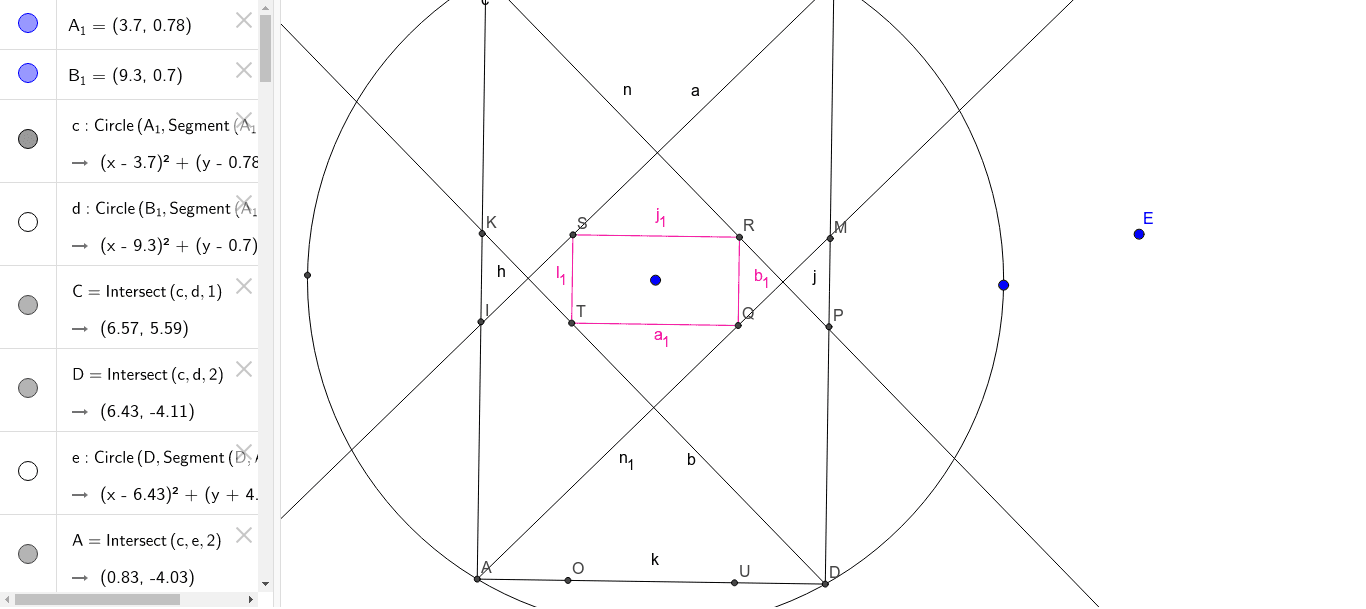
This example demonstrates precise geometric construction using GeoGebra, involving fundamental geometric elements such as circles, segments, rays, and intersection points. Key GeoGebra commands/objects used include Circle, Intersect, Segment, and Ray. Suitable for middle school students and above for learning geometric construction techniques and mathematical teaching demonstrations.
GeoGebra Commands & Parameters
Circle(A_1, Segment[A_1, B_1]) → cCircle(B_1, Segment[A_1, B_1]) → dIntersect(c, d, 1) → CIntersect(c, d, 2) → DCircle(D, Segment[D, A_1]) → eIntersect(c, e, 2) → ACircle(C, Segment[C, A_1]) → fIntersect(c, f, 1) → BCircle(B, Segment[B, A_1]) → gIntersect(c, g, 1) → HSegment(A, B) → hSegment(B, C) → iSegment(C, D) → jSegment(D, A) → kCircle(H, Segment[A_1, A]) → pCircle(D, Segment[A_1, D]) → qRay(A, A_1) → lCircle(A, Segment[E, G]) → rIntersect(r, h, 1) → IIntersect(c, r, 1) → JCircle(I, Segment[E, G]) → sCircle(J, Segment[E, G]) → tIntersect(s, t, 1) → Q_1Ray(A, Q_1) → mCircle(B, Segment[E, G]) → c_1Intersect(c_1, h, 1) → KIntersect(c_1, i, 1) → LCircle(K, Segment[E, G]) → d_1Circle(L, Segment[E, G]) → e_1Intersect(d_1, e_1, 2) → RRay(B, R) → nCircle(C, Segment[E, G]) → f_1Intersect(f_1, j, 1) → MIntersect(f_1, i, 1) → NCircle(N, Segment[E, G]) → g_1Circle(M, Segment[E, G]) → h_1Intersect(g_1, h_1, 2) → SRay(C, S) → aCircle(D, Segment[E, G]) → k_1Intersect(k_1, k, 1) → OIntersect(k_1, j, 1) → PCircle(O, Segment[E, G]) → p_1Circle(P, Segment[E, G]) → q_1Intersect(p_1, q_1, 1) → TRay(D, T) → bSegment(Q_1, R) → i_1Segment(R, S) → j_1Segment(S, T) → l_1Segment(T, Q_1) → m_1Circle(A, Segment[E, G]) → r_1Intersect(r_1, k, 1) → UCircle(I, Segment[E, G]) → s_1Circle(U, Segment[E, G]) → t_1Intersect(s_1, t_1, 1) → QRay(A, Q) → n_1Segment(T, Q) → a_1Segment(Q, R) → b_1