
Geometric Construction: Circles and Polygons
Loading the math board and drawing, please wait…
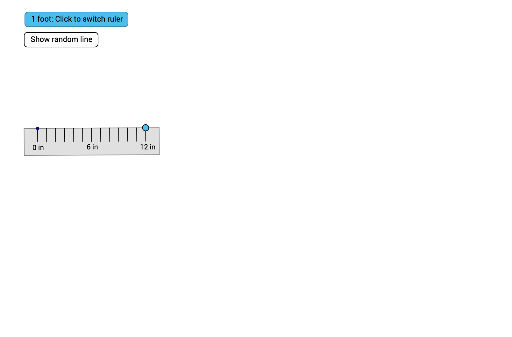
This example demonstrates how to construct basic geometric shapes like circles, points, and polygons using GeoGebra. Key math concepts involved include vectors, angles, and geometric transformations. Construction highlights involve commands such as Circle, Point, UnitVector, OrthogonalVector, Polygon, Sequence, Angle, and objects like a, A, c, B, u, v, poly1, f, a_1, b, g, h, i. Suitable for middle school and above students to learn geometric construction techniques, and for dynamic demonstrations of complex geometric figures in teaching.
GeoGebra Commands & Parameters
Circle(A, a) → cPoint(c) → BUnitVector(Segment[A, B]) → uOrthogonalVector(u) → vPolygon(A + (-0.5 * u), A, B, B + (0.5 * u), B + (0.5 * u) + (-v), A + (-0.5 * u) - v) → poly1, f, a_1, b, g, h, iSequence(Segment[A + ((i * 0.5) * u), A + ((i * 0.5) * u) - (0.25 * v)], i, 0, (2 * a)) → tickInchHalfSequence(Segment[A + ((i * 0.25) * u), A + ((i * 0.25) * u) - (0.15 * v)], i, 0, (4 * a)) → tickInchQuarterAngle(u, Vector[(1, 0)]) → αSegment((Random[2, 4], Random[6, 10]), (Random[6, 9], Random[2, 9])) → jSequence(Segment[A + (((i * u) * cm) * 0.5), A + (((i * u) * cm) * 0.5) - (0.25 * v)], i, 0, ((a * 3) * 2)) → tickYARDHalfSequence(Segment[A + ((i * u) * cm), A + ((i * u) * cm) - (0.5 * v)], i, 0, (a * 3)) → tickYARDSequence(Segment[A + ((i * u)) / 3, A + ((i * u)) / 3 - (0.5 * v)], i, 0, (3 * a)) → tickInchSequence(Segment[A + ((i * u) * cm), A + ((i * u) * cm) - (0.5 * v)], i, 0, (a * 3), 12) → tickYARDboldSequence(Text[i + " in", A + ((i * u)) / 3 - (0.8 * v) - (0.2, 0)], i, 0, (3 * a), 6) → labelsInchSequence(Text[i + " ft", A + (((12 * i) * u) * cm) - (0.8 * v) - (0.15, -0.1)], i, 0, ((a * 3)) / 12) → labelsYARDSequence(Text[i / 3 + " yd", A + (((12 * i) * u) * cm) - (0.8 * v) - (0.15, 0.15)], i, 0, ((a * 3)) / 12, 3) → labelsYARD2
AI Drawing Prompt Reference
Draw a circle and a regular polygon, starting with a center point. Mark a point on the circle, then create a perpendicular vector to the vector from the center to this point. Use these two vectors to construct a hexagon. Add tick marks along the sides of the hexagon representing half an inch, a quarter inch, an inch, half a yard, a yard, and three yards, with corresponding labels.
The prompt above was compiled from the original drawing commands and is for reference only.