
GeoGebra Triangle Area Estimation vs Measurement Example
Loading the math board and drawing, please wait…
In collections
Realidades de GeoGebra
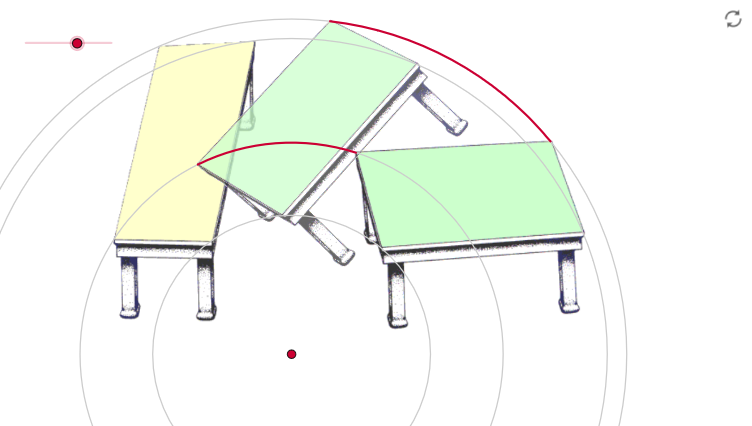
This example demonstrates the comparison between estimation and measurement methods for calculating triangle areas. Key mathematical concepts include trigonometry, area formulas, and geometric construction techniques. The construction involves using commands like Rotate, Circle, and CircleArc to create triangles and circles, with parameter adjustments to verify area variations under different angles. Suitable for middle school students learning geometry and trigonometry, or for educational tool development.
GeoGebra Commands & Parameters
Rotate(pic1, α, A) → pic4Rotate(B, α, A) → CRotate(D, α, A) → ECircle(A, B) → eCircle(A, D) → fCircle(A, F) → gCircleArc(A, B, C) → cCircleArc(A, D, E) → dCircle(A, G) → h
AI Drawing Prompt Reference
Draw a geometric figure comparing triangle area estimation and measurement. Start with an angle at a vertex, with two rays as sides, and set an adjustable angle. Draw three concentric circles centered at the vertex with three different radii, where two circles intersect the angle sides, forming two sector regions. Rotate one side of the triangle around the vertex by the angle to get another side, thus forming a triangle. Then draw a circle centered at the vertex with a radius equal to one side of the triangle, and draw corresponding arcs. The overall figure shows how triangle area varies with the angle, combining circles, arcs, and a triangle.
The prompt above was compiled from the original drawing commands and is for reference only.