
Geogebra Symmetry Pattern Construction
Loading the math board and drawing, please wait…
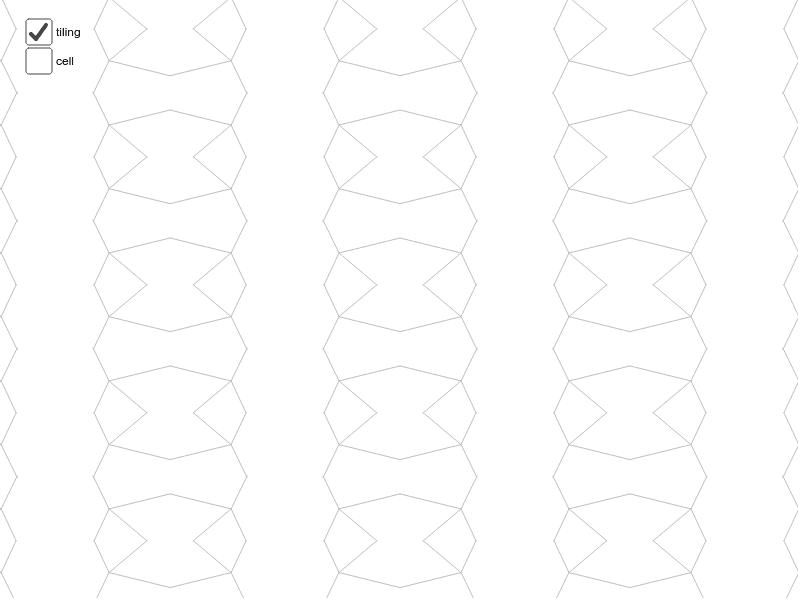
This example demonstrates the construction of symmetric geometric patterns using GeoGebra, involving core math concepts like symmetry, vectors, sequences, and geometric transformations. Key GeoGebra commands and objects used include Point, Midpoint, Vector, Segment, Mirror, Sequence, Line. Suitable for high school mathematics teaching or geometric construction learning.
GeoGebra Commands & Parameters
Point(xAxis) → BMidpoint(A, B) → EMidpoint(B, D) → FMidpoint(D, C) → GMidpoint(C, A) → HMidpoint(C, B) → IVector(A, B) → uVector(A, C) → vVector(C, D) → wVector(B, D) → aSegment(H, F) → bSegment(E, G) → cSegment(J, K) → eSegment(K, L) → fSegment(K, M) → gSegment(K, N) → hMirror(cell1, c) → cell2Mirror(cell1, b) → cell3Mirror(cell2, b) → cell4Sequence(Translate[Sequence[Translate[tile, Vector[(n * u)]], n, -3, 3], Vector[(m * v)]], m, -3, 3) → tilingLine(G, E) → lLine(D, B) → mLine(H, F) → nLine(C, D) → pLine(C, A) → kLine(A, B) → qSegment(H, I) → rSegment(E, I) → s
AI Drawing Prompt Reference
Draw a symmetric geometric pattern using multiple points and line segments, constructed by calculating midpoints and vectors to form basic units, then expand the pattern through mirroring and sequence transformations to demonstrate symmetry, resulting in a complex geometric structure.
The prompt above was compiled from the original drawing commands and is for reference only.