
Garden Problem
Loading the math board and drawing, please wait…
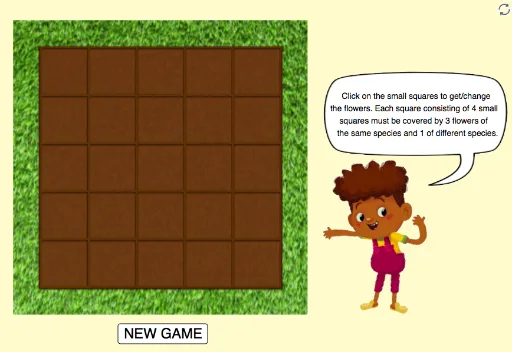
This example dynamically demonstrates the construction of a complex geometric figure, involving core math concepts like trigonometry, vector operations, polygon creation, and inequality analysis. Key GeoGebra commands and objects used include Polygon, Vector, Translate, and If, as summarized. Suitable for high school and above learners to understand geometric constructions and parametric modeling.
GeoGebra Commands & Parameters
Polygon(E, F, 4) → poly1, f, g, h, i, G, HVector(E, H) → uVector(E, F) → vTranslate(poly1, v) → poly2Translate(poly2, v) → poly3Translate(poly3, v) → poly4Translate(poly4, v) → poly5Translate(poly1, u) → poly6Translate(poly6, u) → poly11Translate(poly6, v) → poly7Translate(poly7, v) → poly8Translate(poly8, v) → poly9Translate(poly9, v) → poly10Translate(poly11, v) → poly12Translate(poly12, v) → poly13Translate(poly13, v) → poly14Translate(poly14, v) → poly15Translate(poly11, u) → poly16Translate(poly16, v) → poly17Translate(poly17, v) → poly18Translate(fl1_1, u) → fl1_6Translate(fl1_6, u) → fl1_{11}Translate(fl1_{11}, u) → fl1_{16}Translate(fl1_{16}, u) → fl1_{21}Translate(fl1_1, v) → fl1_2Translate(fl1_2, v) → fl1_3Translate(poly18, v) → poly19Translate(poly19, v) → poly20Translate(fl1_{21}, v) → fl1_{22}Translate(poly16, u) → poly21Translate(poly21, v) → poly22Translate(fl2_1, v) → fl2_2Translate(fl2_2, v) → fl2_3Translate(fl2_3, v) → fl2_4Translate(fl2_4, v) → fl2_5Translate(poly22, v) → poly23Translate(poly23, v) → poly24Translate(poly24, v) → poly25Translate(fl1_3, v) → fl1_4Translate(fl1_4, v) → fl1_5Translate(fl1_6, v) → fl1_7Translate(fl1_6, Vector[(2 * v)]) → fl1_8Translate(fl1_6, Vector[(3 * v)]) → fl1_9Translate(fl1_6, Vector[(4 * v)]) → fl1_{10}Translate(fl2_1, u) → fl2_6Translate(fl2_6, v) → fl2_7Translate(fl2_6, Vector[(2 * v)]) → fl2_8Translate(fl2_6, Vector[(3 * v)]) → fl2_9Translate(fl2_6, Vector[(4 * v)]) → fl2_{10}If(n_1 ≟ 0 ∨ n_2 ≟ 0 ∨ n_3 ≟ 0 ∨ n_4 ≟ 0 ∨ n_5 ≟ 0 ∨ n_6 ≟ 0 ∨ n_7 ≟ 0 ∨ n_8 ≟ 0 ∨ n_9 ≟ 0 ∨ n_{10} ≟ 0 ∨ n_{11} ≟ 0 ∨ n_{12} ≟ 0 ∨ n_{13} ≟ 0 ∨ n_{14} ≟ 0 ∨ n_{15} ≟ 0 ∨ n_{16} ≟ 0 ∨ n_{17} ≟ 0 ∨ n_{18} ≟ 0 ∨ n_{19} ≟ 0 ∨ n_{20} ≟ 0 ∨ n_{21} ≟ 0 ∨ n_{22} ≟ 0 ∨ n_{23} ≟ 0 ∨ n_{24} ≟ 0 ∨ n_{25} ≟ 0, 0, 1) → allnTranslate(fl1_{11}, v) → fl1_{12}Translate(fl1_{11}, Vector[(2 * v)]) → fl1_{13}Translate(fl1_{11}, Vector[(3 * v)]) → fl1_{14}Translate(fl1_{11}, Vector[(4 * v)]) → fl1_{15}Translate(fl1_{16}, v) → fl1_{17}Translate(fl1_{16}, Vector[(2 * v)]) → fl1_{18}Translate(fl1_{16}, Vector[(3 * v)]) → fl1_{19}Translate(fl1_{16}, Vector[(4 * v)]) → fl1_{20}Translate(fl1_{22}, v) → fl1_{23}Translate(fl1_{22}, Vector[(2 * v)]) → fl1_{24}Translate(fl1_{22}, Vector[(3 * v)]) → fl1_{25}Translate(fl2_6, u) → fl2_{11}Translate(fl2_{11}, v) → fl2_{12}Translate(fl2_{11}, Vector[(2 * v)]) → fl2_{13}Translate(fl2_{11}, Vector[(3 * v)]) → fl2_{14}Translate(fl2_{11}, Vector[(4 * v)]) → fl2_{15}Translate(fl2_{11}, u) → fl2_{16}Translate(fl2_{16}, v) → fl2_{17}Translate(fl2_{16}, Vector[(2 * v)]) → fl2_{18}Translate(fl2_{16}, Vector[(3 * v)]) → fl2_{19}Translate(fl2_{16}, Vector[(4 * v)]) → fl2_{20}Translate(fl2_{16}, u) → fl2_{21}Translate(fl2_{21}, v) → fl2_{22}Translate(fl2_{21}, Vector[(2 * v)]) → fl2_{23}Translate(fl2_{21}, Vector[(3 * v)]) → fl2_{24}Translate(fl2_{21}, Vector[(4 * v)]) → fl2_{25}
AI Drawing Prompt Reference
Draw a complex geometric figure with multiple polygons and vectors. Start by creating a quadrilateral, then generate a series of new polygons by translating the previous polygon using vector u and v. Next, create some line segments and generate more line segments through translation operations, forming a complex geometric structure.
The prompt above was compiled from the original drawing commands and is for reference only.