
Fun with Limits #8: Dynamic Construction of Parallelogram and Hyperbola
Loading the math board and drawing, please wait…
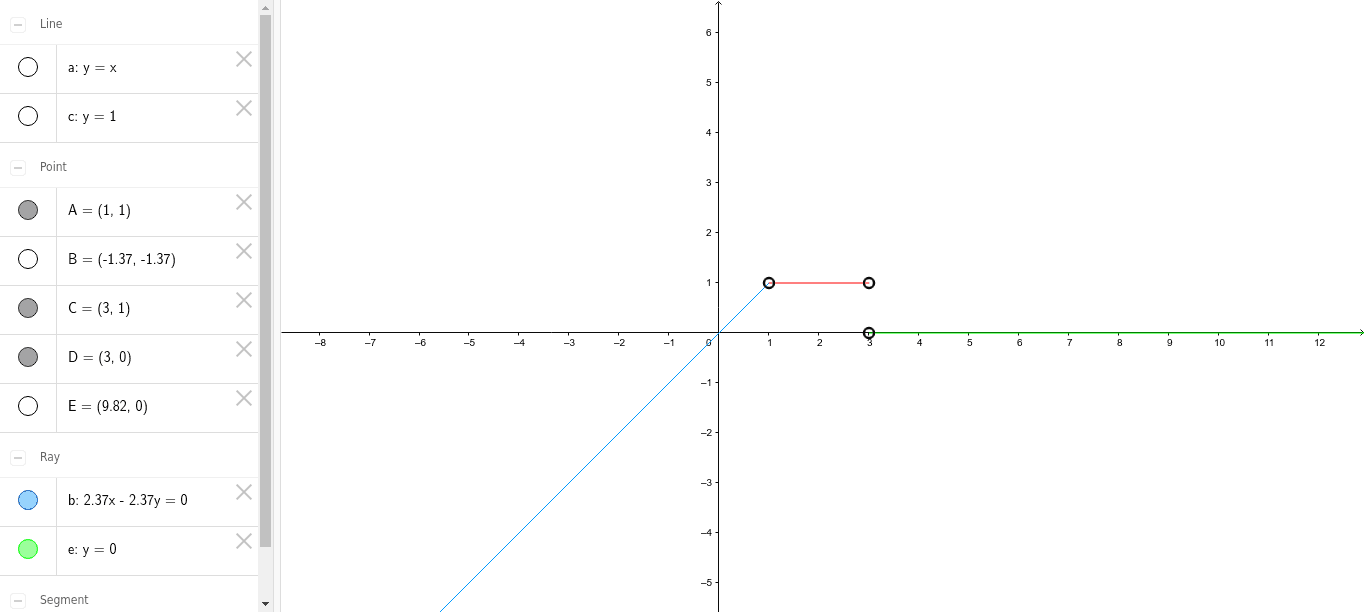
This GeoGebra example dynamically explores the interplay between limits and geometric figures such as parallelograms and hyperbolas. It integrates core mathematical concepts including limits, linear equations, binomial distribution, the unit circle, and hyperbolas, demonstrating how different branches of mathematics converge in a single construction. The construction utilizes GeoGebra commands such as Point, Ray, Line, and Segment, with objects labeled a, A, B, b, c, C, d, D, E, and e. By manipulating these objects or parameters, learners can observe how the configuration evolves, thereby grasping the intuitive idea of a limit as a process of approaching a value or shape. This resource is suitable for high school to early college students, serving as a visual aid for teaching limits, and also as a prompt for inquiry-based learning or mathematical modeling, encouraging users to discover relationships among diverse mathematical concepts through hands-on interaction.
GeoGebra Commands & Parameters
Point(a) → APoint(a) → BRay(A, B) → bLine(A, xAxis) → cPoint(c) → CSegment(A, C) → dPoint(xAxis) → DPoint(xAxis) → ERay(D, E) → e
AI Drawing Prompt Reference
On a coordinate plane, draw a horizontal line as the x-axis. Pick a point above the axis as a starting point, then choose another point and draw a ray from the first point through the second. Next, draw a line through the starting point parallel to the x-axis, and select a point on this line, connecting it to the starting point with a segment. Then, choose two distinct points on the x-axis and draw a ray from one to the other. The final figure consists of two rays, one segment, and one parallel line, whose positions can be adjusted to visualize the dynamic approach of a limit.
The prompt above was compiled from the original drawing commands and is for reference only.