
Free Fall with Horizontal Initial Velocity
Loading the math board and drawing, please wait…
In collections
El dominio del Tiempo (cinemática intuitiva)
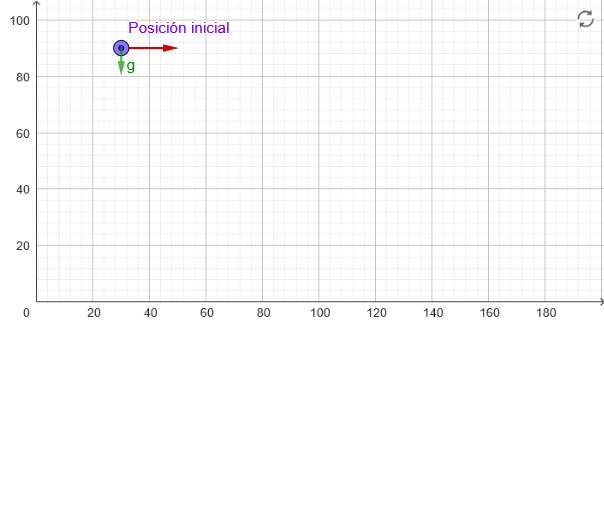
This example demonstrates the projectile motion of an object with a horizontal initial velocity. Key mathematical concepts include vector decomposition, parabolic trajectory, relationship between time and position, and parametric equations. Construction involves using GeoGebra commands such as PointIn, Vector, Segment, and Sequence to create the motion path, mark key points, and set animation parameters. Suitable for high school or undergraduate students to understand basic projectile motion and vector analysis.
GeoGebra Commands & Parameters
PointIn(x ≥ 0 ∧ y ≥ 0) → PTextfield(vx) → CasillaDeEntrada1Sequence(Text[("" * reg(Length[marca] - k + 1)) + "''", (x(P) + (vx * k) + x(Corner[2] - Corner[1]) / 18, marca(Length[marca] - k + 1))], k, 1, Length[marca]) → marcasNSequence(Segment[(x(P) + (vx * k), marca(Length[marca] - k + 1)), (x(P) + (vx * k) + x(Corner[2] - Corner[1]) / 20, marca(Length[marca] - k + 1))], k, 1, Length[marca]) → marcasSegment(P, (x(P), 0)) → hVector((x(M), y(P)), (x(M) + vx, y(P))) → v0Sequence(Segment[(x(P) + (vx * k), y(P) - (4.905 * k^(2))), (0, y(P) - (4.905 * k^(2)))], k, 1, Length[marca]) → marcasTVector((x(P), y(M)), (x(P), y(M + v))) → v0y
AI Drawing Prompt Reference
Draw the projectile motion of an object with horizontal initial velocity. Start by placing a point P in the first quadrant as the starting point, then input the horizontal initial velocity vx. Next, draw a series of horizontal segments based on the initial velocity vx and time k to represent the object's motion path, and mark key points on the path. Finally, draw a vertical segment h from point P to the x-axis to indicate the initial height, and use arrows to represent the horizontal initial velocity v0 and the vertical velocity v0y.
The prompt above was compiled from the original drawing commands and is for reference only.