
Fractions - Parts of a Whole: Visual Models
Loading the math board and drawing, please wait…
In collections
Fraction Book
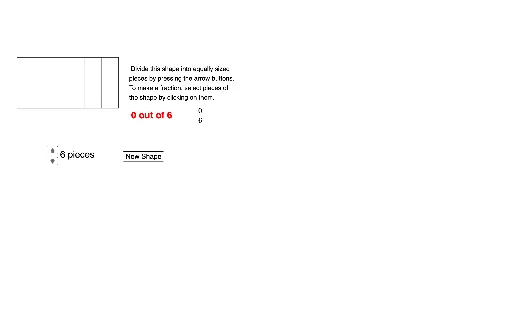
This GeoGebra example demonstrates the meaning of fractions using different geometric models, showing how a whole is divided into equal parts and how each part relates to the whole. The core mathematical concepts include the definition of fractions, equal partitioning, part-whole relationships, and the correspondence between fractions and geometric shapes. The construction uses commands such as Circle to create the whole, OrthogonalLine and Intersect to construct dividing lines, Sequence and Element to generate multiple wedge sectors, and Segment to connect key points. Key objects include NumberOfParts to control the number of divisions, WedgeSize and WedgeDots to adjust display details, multiple wedge objects (Wedge01 to Wedge20) representing different fractional parts, and colorchanger objects for dynamic coloring. This resource is suitable for upper elementary and middle school students learning fractions, and for teachers to use in classroom demonstrations to help students visually grasp the meaning of numerators and denominators.
GeoGebra Commands & Parameters
Circle(A, radius) → cOrthogonalLine(A, xAxis) → fIntersect(c, f, 2) → BSequence(Rotate[B, (WedgeSize° * i), A], i, 0, NumberOfParts) → WedgeDotsSequence(CircleSector[A, Element[WedgeDots, i], Element[WedgeDots, i + 1]], i, 1, NumberOfParts) → WedgesElement(Wedges, 1) → Wedge01Element(Wedges, 2) → Wedge02Element(Wedges, 3) → Wedge03Element(Wedges, 4) → Wedge04Element(Wedges, 5) → Wedge05Element(Wedges, 6) → Wedge06Element(Wedges, 7) → Wedge07Element(Wedges, 8) → Wedge08Element(Wedges, 9) → Wedge09Element(Wedges, 10) → Wedge10Element(Wedges, 11) → Wedge11Element(Wedges, 12) → Wedge12Element(Wedges, 13) → Wedge13Element(Wedges, 14) → Wedge14Element(Wedges, 15) → Wedge15Element(Wedges, 16) → Wedge16Element(Wedges, 17) → Wedge17Element(Wedges, 18) → Wedge18Element(Wedges, 19) → Wedge19Element(Wedges, 20) → Wedge20Segment(C, D) → gSegment(D, E) → hSegment(E, F) → iSegment(F, C) → jSequence(C + ((StripWidth * i), 0), i, 0, NumberOfParts) → LowerDotsSequence(F + ((StripWidth * i), 0), i, 0, NumberOfParts) → UpperDotsSequence(Polygon[Element[LowerDots, i], Element[LowerDots, i + 1], Element[UpperDots, i + 1], Element[UpperDots, i]], i, 1, NumberOfParts) → VerticalStripsListElement(VerticalStripsList, 1) → Vertical01Element(VerticalStripsList, 2) → Vertical02Element(VerticalStripsList, 3) → Vertical03Element(VerticalStripsList, 4) → Vertical04Element(VerticalStripsList, 5) → Vertical05Element(VerticalStripsList, 6) → Vertical06Element(VerticalStripsList, 7) → Vertical07Element(VerticalStripsList, 8) → Vertical08Element(VerticalStripsList, 9) → Vertical09Element(VerticalStripsList, 10) → Vertical10Element(VerticalStripsList, 11) → Vertical11Element(VerticalStripsList, 12) → Vertical12Element(VerticalStripsList, 13) → Vertical13Element(VerticalStripsList, 14) → Vertical14Element(VerticalStripsList, 15) → Vertical15Element(VerticalStripsList, 16) → Vertical16Element(VerticalStripsList, 17) → Vertical17Element(VerticalStripsList, 18) → Vertical18Element(VerticalStripsList, 19) → Vertical19Element(VerticalStripsList, 20) → Vertical20Segment(G, H) → kSegment(H, I) → lSegment(I, J) → mSegment(J, G) → nSequence(G + (0, (StripWidth * i)), i, 0, NumberOfParts) → LeftDotsSequence(H + (0, (StripWidth * i)), i, 0, NumberOfParts) → RightDotsSequence(Polygon[Element[LeftDots, i], Element[RightDots, i], Element[RightDots, i + 1], Element[LeftDots, i + 1]], i, 1, NumberOfParts) → HorizontalStripsListElement(HorizontalStripsList, 1) → Horizontal01Element(HorizontalStripsList, 2) → Horizontal02Element(HorizontalStripsList, 3) → Horizontal03Element(HorizontalStripsList, 4) → Horizontal04Element(HorizontalStripsList, 5) → Horizontal05Element(HorizontalStripsList, 6) → Horizontal06Element(HorizontalStripsList, 7) → Horizontal07Element(HorizontalStripsList, 8) → Horizontal08Element(HorizontalStripsList, 9) → Horizontal09Element(HorizontalStripsList, 10) → Horizontal10Element(HorizontalStripsList, 11) → Horizontal11Element(HorizontalStripsList, 12) → Horizontal12Element(HorizontalStripsList, 13) → Horizontal13Element(HorizontalStripsList, 14) → Horizontal14Element(HorizontalStripsList, 15) → Horizontal15Element(HorizontalStripsList, 16) → Horizontal16Element(HorizontalStripsList, 17) → Horizontal17Element(HorizontalStripsList, 18) → Horizontal18Element(HorizontalStripsList, 19) → Horizontal19Element(HorizontalStripsList, 20) → Horizontal20
AI Drawing Prompt Reference
Draw a circle to represent a whole, create perpendicular lines from the center to a horizontal line to divide the circle into equal parts, use sectors to represent each fractional part with different colors, and display rectangular strips to show the relationship between each part and the whole, controlled by a slider for the number of divisions to illustrate the geometric meaning of fractions.
The prompt above was compiled from the original drawing commands and is for reference only.