
Fraction Set Model
Loading the math board and drawing, please wait…
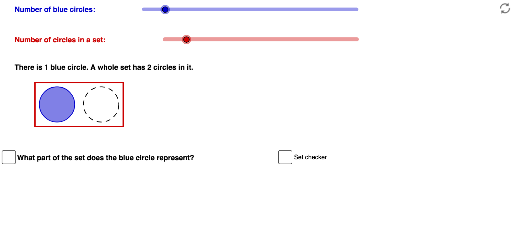
This example demonstrates the concept of fractions using a set model. Adjust the number of blue circles and the number of circles in a set using sliders, and check boxes to show or hide information. Key mathematical concepts include fractions and set operations. GeoGebra commands used include Circle, Segment, Polygon, PointIn, and Point. Suitable for upper elementary and middle school students to learn about fractions and basic set operations.
GeoGebra Commands & Parameters
Circle(A, 1) → cCircle(B, 1) → dCircle(C, 1) → eCircle(A, 1) → outline1Circle(B, 1) → outline2Circle(C, 1) → outline3Circle(D, 1) → outline4Circle(E, 1) → outline5Circle(F, 1) → outline6Segment(K, L) → setRSegment(N, K) → setTSegment(M, L) → setBSegment(M, N) → setLCircle(G, 1) → outline7Circle(H, 1) → outline8Circle(I, 1) → outline9Circle(J, 1) → outline10Circle(D, 1) → e_1Circle(E, 1) → f_1Circle(F, 1) → g_1Circle(G, 1) → h_1Circle(H, 1) → k_1Circle(I, 1) → p_1Circle(J, 1) → q_1Polygon(Q, R, S, T) → poly1, q_2, r_1, s_1, t_1PointIn(Polygon[(-1, -3.5), (27, -3.5), (27, 2.28), (-1, 2.28)]) → WPoint(Circle[W, 2.5]) → C_1Point(t_1) → E_1Point(r_1) → F_1Polygon(W, (x(W), y(W) - 2.5), (x(W) + (b * 2.5), y(W) - 2.5), (x(W) + (b * 2.5), y(W))) → setCkPoly, w, f, g, h
AI Drawing Prompt Reference
Create a fraction set model with multiple blue circles and a group of circles, adjustable by sliders. Include checkboxes to show or hide elements. Connect circles with lines to form sets, and add a rectangular area at the bottom containing smaller circles to represent fraction parts, visually demonstrating the concept of fractions and set operations.
The prompt above was compiled from the original drawing commands and is for reference only.