
Fraction Quilt
Loading the math board and drawing, please wait…
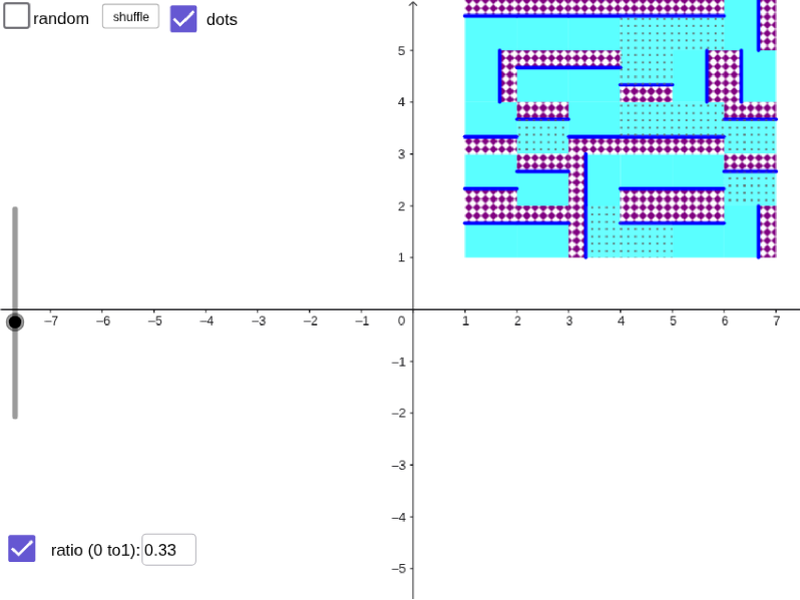
This example dynamically demonstrates fractions and rotation to construct a fraction quilt pattern. It involves core math concepts like fractions, rotation, circle, sequence, and conditional logic. Construction highlights the use of GeoGebra commands/objects such as Sequence, Textfield, If, and First. Suitable for middle school and above to understand fractions, geometric transformations, and computational thinking.
GeoGebra Commands & Parameters
Sequence(Sequence[floor(f(i, j)), i, 1, n], j, 1, n2) → m1Textfield(f) → InputBox1Sequence(Sequence[Random[0, 3], i, 1, n], j, 1, n2) → m0If(a, m1, m0) → m2Textfield(r) → InputBox2Sequence(Sequence[Translate[Rotate[Polygon[(r, 0), (1, 0), (1, 1), (r, 1)], (Element[m2, j, i] * 90°), (0.5, 0.5)], (i, j)], i, 1, n], j, 1, n2) → l1Sequence(Sequence[Translate[Rotate[Segment[(r, 0), (r, 1)], (Element[m2, j, i] * 90°), (0.5, 0.5)], (i, j)], i, 1, n], j, 1, n2) → l3Sequence(Sequence[Translate[Rotate[Polygon[(r, 0), (0, 0), (0, 1), (r, 1)], (Element[m2, j, i] * 90°), (0.5, 0.5)], (i, j)], i, 1, n], j, 1, n2) → l2First(Shuffle[Flatten[l1]], k) → l4
AI Drawing Prompt Reference
Create a fraction quilt pattern using rotation and translation. First, generate a series of random numbers based on the input in box 1, then use the rotation angle from box 2 to rotate and translate these numbers into multiple polygons and triangles, which will be assembled into a complete quilt pattern.
The prompt above was compiled from the original drawing commands and is for reference only.